
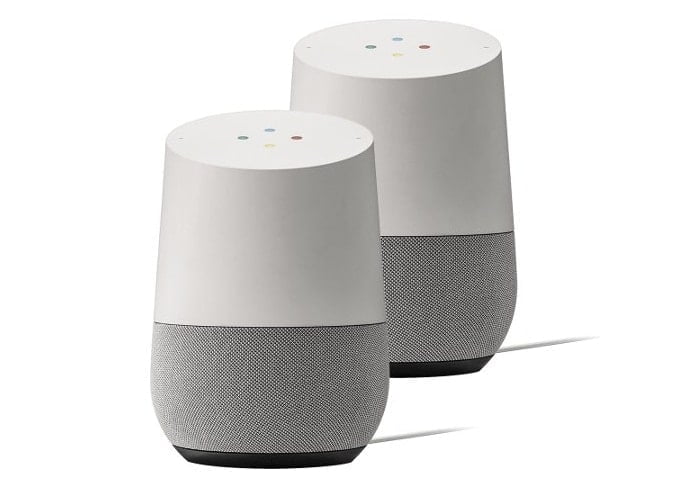

The latest and I must say, the most exciting of all these updates is the new stereo pairing feature for the Google Home and Home Mini speakers by Google. The feature, previously only available on higher-end devices like the Google Home Max, is now available to its wider user base. Breaking free of this grip on sound quality allows users to experience a fuller, more detailed audio experience. Let start with the Google Home stereo pairing setup with one serving as the left channel and the other as the right channel.
Google Home stereo pairing setup lets users pair two compatible Google speakers, with one serving as the left channel and the other as the right channel. This form factor results in a more immersive and nuanced performance that enjoyment of music lovers and movie buffs alike demand for a fuller listening and viewing experience.
This is not only a big draw for audiophiles, but also a game changer for those who are in the process of setting up a smart home. On the other hand, stereo pairing can turn even the dullest sounding room into a quality audio experience which can only be better for listening to music, podcasts and radio.
Setting Up Stereo Pairing
Stereo pairing on your Google Home or Home Mini speakers is a things that has been both simple and brokenly complex at the same time! First thing, ensure that you have both the speakers working properly and showing in your Google Home application. After you are verified, open the Google Home app on your phone or tablet.
Press and hold the tile of one of the speakers that you want to pair. From there, tap the gear icon to access the settings. Go to the “Audio” section to select “Stereo Pair.” You can tap on it, and the application will take you through that as well. You will be asked to designate one speaker as a left channel speaker and the other as a right channel speaker.
After you’ve done that, the app will prompt you to name your stereo pair. You can opt for a custom name, so that you can easily recognize your paired speakers in the future. Once complete, the two speakers will operate together as a stereo pair, for synchronized sound.
Benefits of Stereo Pairing
Stereo pairing brings with it a number of benefits that are more than the sum of two speakers. One of the most significant advantages is enhanced sound quality. When two of it speakers are combined, you hear a rich, immersive sound. The right and left channels serve as a nice separation to provide a vivid, real sound stage. Great for viewing movies or listening music with complicated sound effects.
And you can also control these speakers both off same device. When the volume or playback settings are adjusted from one speaker, the adjustments will be synced with the other. This makes it a lot easier to just have both speakers synchronized to each other without having to sync them up independently.
Stereo pairing also works well with Google Assistant. Only the left speaker reacts when giving voice commands. This is to help minimize confusion and to make certain that your voice commands get accurately interpreted. The right speaker doesn’t speak, and the left speaker does all the talking.
Performance Considerations
It’s a great feature, but here’s what to consider so you can get the best performance here. The first is placement. To get the best sound, put the two speakers at about the same height and a similar distance to the listening position. This way the sound will be well distributed in the room. Positioning is vital to ensure a balanced and engaging sound.
You will also want to ensure that your Wi-Fi is up to speed. Stereo pairing requires a stable Wi-Fi network to function correctly. If your signal weak or not steady, the speakers will delay, interrupt or have no sound from the speaker. You’ll also want to be sure your Wi-Fi network is strong enough to handle multiple devices at once.
Enabling software updates on all your devices is also crucial. Make sure you are updated to the latest version of the Google Home app as well as your speakers to get all the latest features and fixes. Google frequently updates its software to fixes bugs and enhance the power of your smartphone, so it’s a good idea to stay on top of your updates.
Flexibility and Customization
What really sets stereo pairing apart is its versatility. If you ever want to use your speakers in a different layout, you can always unpair them. That could come in handy if you plan to put the Dot in some other room or are thinking about pairing the devices with other devices.
Google also lets you tweak the audio settings on the speakers, whether you’re using them as a pair or not. Its sound can also be tweaked with bass, treble and balance controls. Whether you favour a bass-heavy sound or a more neutral tone, you can fine-tune through the Google Home app.
Troubleshooting Tips
Stereo pairing is supposed to be easy as pie, but problems do crop up from time to time. If your speakers are not pairing correctly, try rebooting your speakers and router both. This will generally fix most connectivity issues. If the issue continues, you can unpair the speakers in the Google Home app and attempt the setup process again.
In some cases the Wi-Fi signal may get interfered due to physical barriers or electronic disturbances. Be sure there is no object blocking the signal path between the speakers and the router. Also, do not position the speakers near other electronic devices, since the speakers may experience interference.
Conclusion: Google Home stereo pairing setup
Stereo paired Google Homes / Home Minis is an incredible feature which I recommend other people try. Regardless of whether you have a pair of speakers or are using them as part of an entirely smart home ecosystem, being able to pair two speakers together is big. The set up is easy, and with the synchronized volume, the better sound quality, and integration with Google Assistant, every Google Home owner should have this feature.
How does it work Plug in, connect, and easily control in one system You can even play the same music on all the speakers throughout your house How is this wireless setup so easy It s all happening right here Start with one speaker and build your system over time Enjoy advanced audio distribution profile (A2DP), for a superior sonic experience The widest range of Bluetooth compatibility 33ft in any direction! Whether you’re partying or just whiling away the afternoon with your favorite playlist, stereo pairing delivers the best sound.