

When Amazon Music applied DRM to encrypt all its streaming music resources, there are some regulations you need to pay attention while accessing and enjoying them within the platform. So if you probably wonder if there is a way to bypass this obstacle and download Amazon to MP3, in that DRM protection can be removed and your music streaming will no longer be limited, this post is helpful.
TuneFab Amazon Music Converter makes it an easy task to get rid of Amazon Music DRM and download Amazon Music to MP3. Now, please scroll down to read and see how this program can help.
TuneFab Amazon Music Converter: Best Amazon Music Converter Overview
TuneFab Amazon Music Converter is developed with advanced decryption techniques, designed to bypass and unlock the sophisticated DRM protection added to Amazon streaming music, then easily convert the media to local MP3 and other popular formats. The downloaded DRM-free Amazon Music songs will not be restricted or controlled by Amazon anymore. In other words, you can save them on whatever devices you like and stream at any time you want, even without getting the official Amazon Music app installed anymore.
Features of the Top 1 Amazon Music Converter
Over the years, TuneFab Amazon Music Converter has been regularly enhanced to deliver stable, speedy, and user-friendly functions, contributing to its high reputation and popularity among global users. In the following, walk through all highlights of the program and see how it benefits your experience in downloading Amazon Music to MP3.
User Interface
You will be quite familiar with the user interface of TuneFab Amazon Music Converter as the program has embedded the official Amazon Music player directly. You can use it in mostly the same way, like logging in, browsing music of your interest, streaming songs, and more. Also, the music download process is developed with simplified manipulation, making it easy for every user (even beginners) to get started quickly.
 All Amazon Music Download Support
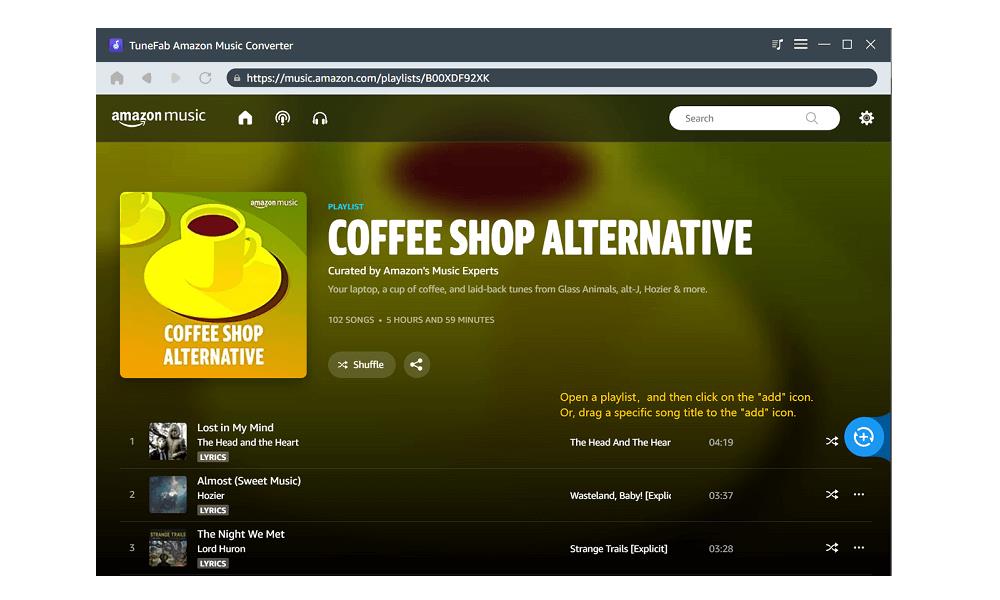

Despite the user interface, the music library you can access in the program is actually the same as the official one, too. Regardless of TuneFab Amazon Music Converter or the official platforms, you can access the same music database to stream or download tracks (note that free users can download all Amazon Music tracks in TuneFab but not on Amazon official platforms). In other words, even for Amazon Music Free users, all Amazon Music tracks, including those titles of Amazon Music Prime, Amazon Music Unlimited, and Amazon Music HD.
Effortless Performance
TuneFab Amazon Music Converter only requires the simple drag-and-drop process to select your favorite Amazon Music to download. Once you access the resources in the web player, simply drag them to the converting list and click; the program will initiate the batch download ability to download Amazon Music to MP3 for you in no time.
In addition, the program also embeds multiple hardware acceleration techniques to lower the CPU consumption and raise the conversion speed. To batch download multiple Amazon playlists at the same time, the performance can be sped up to 5X faster, which only takes several minutes to complete. It would be quite time-saving and effortless to use TuneFab Amazon Music Converter.
Customized Parameters
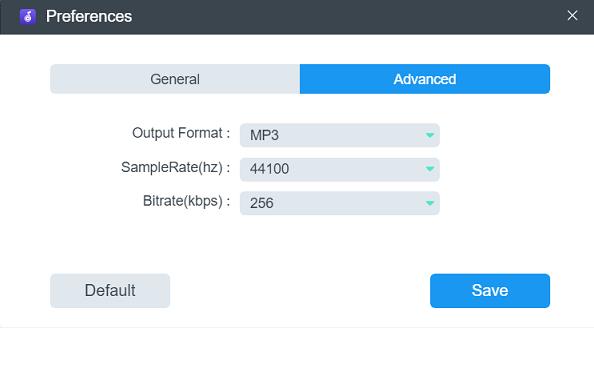
The program also enables free parameter customization, allowing you to adjust the music quality flexibly. It supports downloading Amazon Music to MP3 with the highest audio quality at 320Kbps, 48kHz. You can also lower the settings in preferences if you wish to save device storage by shrinking the file sizes of Amazon Music downloads.
Stable Experience
Unlike many other Amazon Music downloaders with frequent downloading or converting errors, TuneFab Amazon Music Converter is well enhanced to ensure high stability in processing music resolution and downloads. Its embedded Amazon Music web player also improves music phrasing, with no errors that lead to music download failures.
3 Steps to Download Amazon Prime/Unlimited/HD Music to MP3
In the following, walk through the manipulation guide to download Amazon Prime/Unlimited/HD Music to MP3 in only 3 simple steps.
Step 1. Log in Web Player to Select Songs
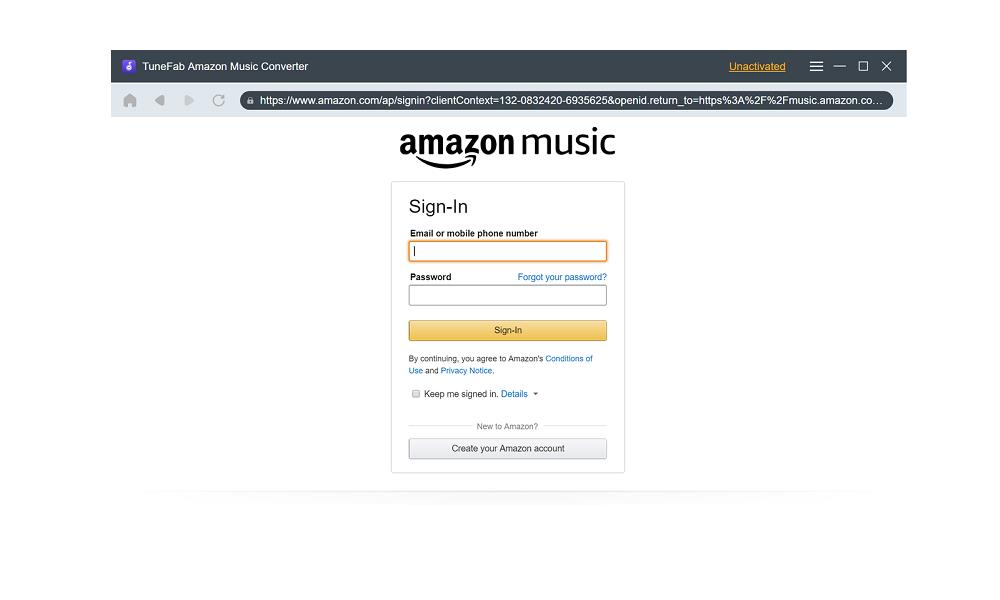
First, open the installed TuneFab Amazon Music Converter and enter the built-in Amazon Music player to complete account login. You can use a free account without restrictions. Once complete, browse the library and select songs you wish to download to MP3.
Step 2. Configure Quality Settings
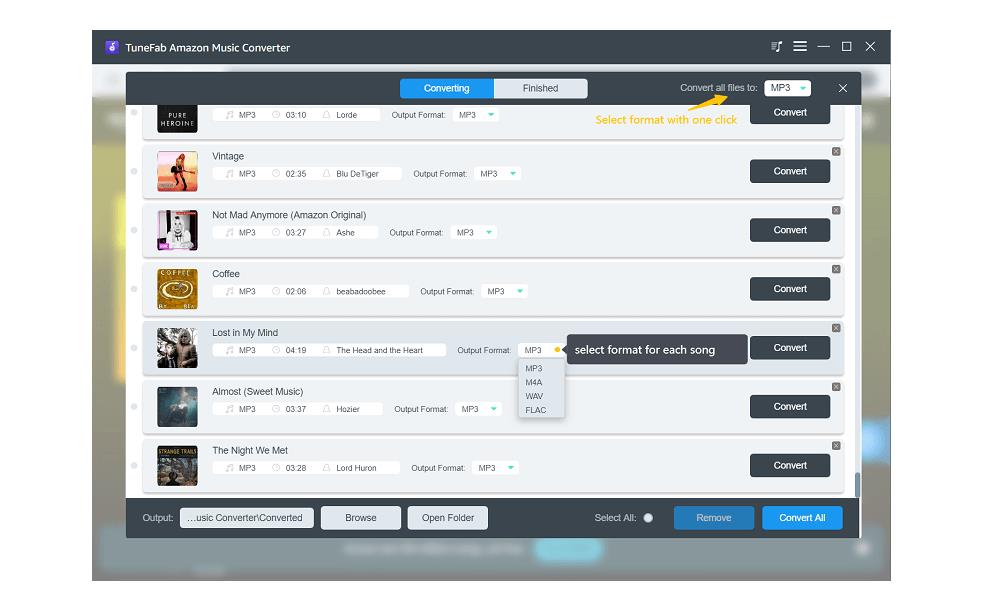
To add your favorite songs to download, simply drag and drop them to the Add button. Then, you can select MP3 as the output format directly from the top-right Convert all files to menu.
To further personalize the music quality, please turn to the Menu >> Preferences setting window. Under the Advanced tab, you can customize both SampleRate and Bitrate to determine output quality.
Step 3. Download Amazon Music Prime/Unlimited/HD to MP3
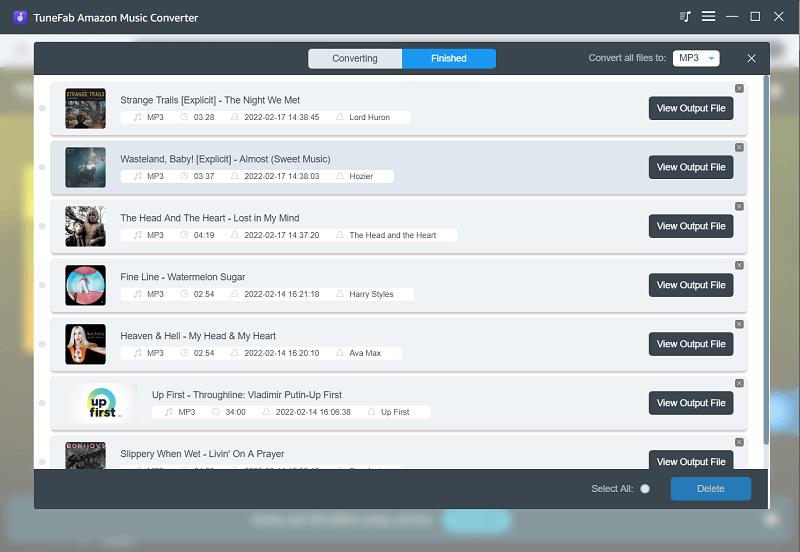
Finally, tap the Convert All button, and the program will start converting and downloading Amazon Music Prime/Unlimited/HD to MP3 in no time. Once complete, you can access the MP3 local files under Finished by clicking on the View Output File button.
Final Verdict
With TuneFab Amazon Music Converter, downloading Amazon Music to MP3 can be quite easy, like a piece of cake, because you only need to process several easy taps. Even for Amazon Music free accounts, all resources such as Amazon Music Prime, Unlimited, and HD tracks can be downloaded without restrictions. Now, start with TuneFab Amazon Music Converter and enjoy a more convenient offline music streaming journey!