


Immutable storage and data protection have become critical defenses as ransomware attacks continue to hit organizations with increasingly sophisticated tactics. What makes these attacks different now is that attackers don’t just target your live systems anymore—they go straight for your backups. They know that backups are your last line of defense, so they encrypt those too. Unless your backups are protected with immutable storage and data protection systems that can’t be tampered with, no matter what happens, you could end up paying a ransom or losing data you can’t recover.
Picture this: ransomware encrypts your production data and your traditional backups simultaneously. You’re stuck negotiating with criminals. But with immutable backups, the attackers hit a wall. The data is locked in stone—they can’t encrypt it, delete it, or modify it in any way. You restore from that clean backup without paying a dime to anyone.
This isn’t theoretical. Veeam’s 2025 Ransomware Trends report found that 89% of organizations have already had their backup repositories targeted by attackers. That’s almost nine out of ten organizations. And with global ransomware damages projected to reach $10.5 trillion annually by 2025, the stakes are higher than ever.
How Immutable Backups Actually Work
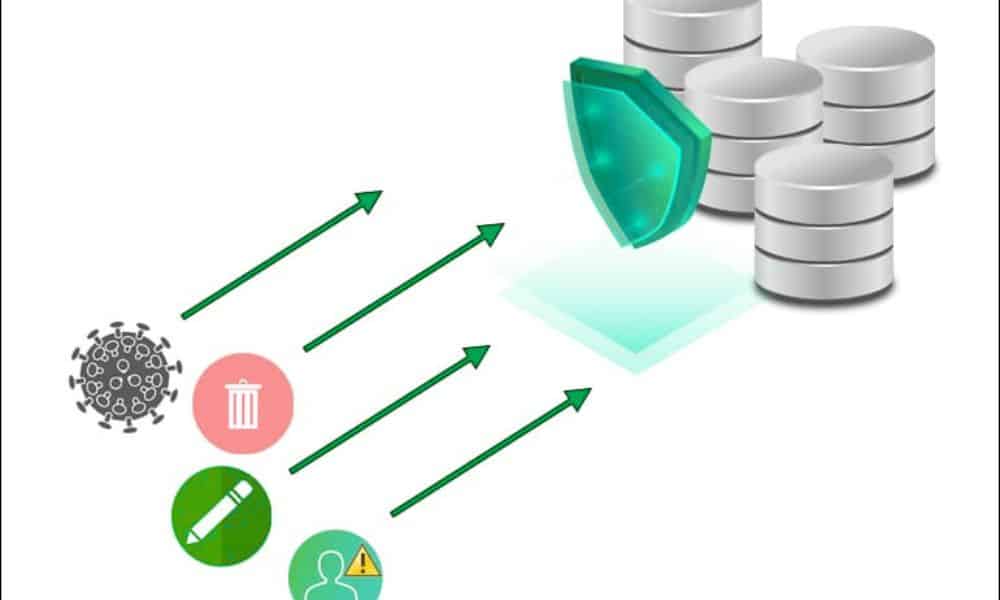
Immutable backups use Write Once, Read Many (WORM) technology. Once data gets written, it stays locked in its original form for a retention period you define. Nobody can change it, nobody can delete it, not even system administrators with the highest privileges. The architecture itself prevents modification.
Here’s what happens: you set a retention period—maybe 30 days, maybe 7 years—and the storage system enforces it automatically. During that window, the data is read-only. You can access it, restore from it, verify it, but you can’t alter it. After the retention period expires, you can choose to delete or modify it. Until then, it’s locked tight.
Layered Protection: How Immutable Backups Actually Stay Protected
The technology combines a few layers. WORM enforces the write-once model. Encryption protects the data. Metadata tracks every transaction, creating an audit trail that shows exactly who accessed what and when. Access controls limit who can even touch the backups. Some solutions add Multi-User Authentication (MUA), which requires multiple authorized security contacts to approve account deletion—a feature that Wasabi offers as the only primary cloud storage provider to include it at no cost.
The protection is physical, not just policy-based. The storage system itself prevents modification attempts. Even if attackers gain administrative credentials, they can’t bypass immutability during the retention window. The system automatically rejects deletion, modification, and encryption requests.
Why 89% of Organizations Are Now Protecting Backups This Way
Ransomware has become a profit machine for criminals. Ransomware-as-a-Service (RaaS) means attackers don’t need technical skills—they can rent malware and split the ransom with operators. Cryptocurrency payments happen instantly and anonymously. The result is relentless attacks.
But immutable backups change the economics for criminals. If they can’t delete or modify your backup, they can’t force you to pay. You have guaranteed recovery. The business model collapses. This is why organizations such as healthcare providers, financial institutions, and law enforcement agencies are aggressively implementing immutable backups.
Beyond ransomware, immutable backups solve problems that happen constantly. Employees delete files they shouldn’t: systems crash, and data gets corrupted. People overwrite critical information by mistake. With immutable backups, none of these accidents becomes catastrophic. The data is locked and safe.
Governance Mode and Compliance Mode: Understanding Your Options
When you implement immutable storage with S3 Object Lock (the standard for cloud immutability), you can choose from two retention modes. Governance Mode allows users with special permissions to delete or overwrite objects before the retention period expires. It provides some flexibility for authorized operations. Compliance Mode locks everything down completely—no user, not even the root account, can delete or modify objects until the retention period expires.
For most organizations handling sensitive data, Compliance Mode is the right choice. It’s like having a legal requirement written into the storage system itself. For situations where you need occasional flexibility, Governance Mode provides a middle ground. The key is understanding what your organization needs before implementing.
Meeting Compliance Without Constant Headaches
Healthcare organizations must comply with HIPAA. Financial institutions answer to SEC Rule 17a-4(f), FINRA Rule 4511, and CFTC regulations. Law enforcement and legal teams must maintain audit trails. GDPR demands data integrity and protection against unauthorized modification. These regulations exist because data integrity matters.
Immutable backups were explicitly designed to meet these mandates. When data is locked and unmodifiable, you automatically satisfy the integrity requirements that regulators demand. Better yet, you have proof. Your audit logs show data remained untouched throughout the retention period. You have a tamper-proof record with chain-of-custody documentation.
This isn’t just about passing inspections. Regulatory violations result in hefty penalties. Immutable storage makes compliance automatic rather than something you scramble to demonstrate during an audit.
The 3-2-1-1-0 Backup Rule: A Strategy That Works
Industry experts recommend following the 3-2-1-1-0 backup rule for comprehensive data protection. This means: three copies of your data on two different media types, with one copy offsite, one offline or immutable, and zero errors when you verify backups.
This strategy works because it eliminates single points of failure. One copy might get corrupted. Two copies give you redundancy. Adding geographic separation protects against regional disasters. Making one copy immutable ensures you have an unalterable recovery point regardless of what happens to the others. Testing everything ensures nothing fails when you actually need to recover.
Many organizations treat the immutable copy as their “golden copy”—the copy they never touch except during actual recovery situations. Their traditional backups handle day-to-day operations. The immutable backup remains pristine and ready.
Deduplication, Compression, and Storage Efficiency in 2025
One concern with immutable backups has been storage cost. You can’t delete outdated data during the retention period, which can waste space. But technologies in 2025 address this. Deduplication removes duplicate blocks across backups, significantly reducing storage requirements. Compression further reduces size. These technologies work alongside immutability without compromising protection.
Some solutions incorporate AI and machine learning for proactive threat detection. Instead of waiting to discover problems, these systems analyze historical patterns to identify potential security breaches early. When you combine this with immutable backups, you get a complete defense system.
Implementation Options in 2025: Choose What Fits Your Environment
You don’t have to choose between on-premises and cloud. Most organizations use a hybrid approach. For on-premises deployments, you can use hardened Linux repositories with xattr-based immutability, or on-premises object storage from vendors like Cloudian, ObjectFirst, or Dell with S3 Object Lock support.
For cloud, AWS S3 with Object Lock, Azure Blob Storage with immutability policies, and purpose-built solutions like Veeam Data Cloud Vault all provide native immutability. Wasabi and other S3-compatible providers offer immutable object storage at a lower cost than AWS, with no egress fees when you need to restore.
Air-gapped solutions, where backups are physically isolated from production networks, provide an additional layer of protection. Some organizations use all three: immutable cloud backups for speed, on-premises backups for immediate access, and air-gapped copies for the ultimate recovery scenario.
The Trade-Off: Flexibility for Assurance
Immutable storage isn’t perfectly flexible. You can’t make corrections to data, can’t delete files early to save space, and can’t modify records even when business needs change—not until the retention period expires. This rigidity requires planning.
You must set retention periods carefully. Too short, and you lose the protection benefit. Too long, and you’re storing data you don’t need, wasting money. Most organizations align retention with regulatory requirements, then archive or delete records when the retention period expires.
Cost is worth understanding, too. Immutable backups typically cost more than standard backups because the technology and compliance validation add expense. But the cost of a single ransomware attack—ransom payments, downtime, recovery efforts, and legal liability—usually exceeds the cost of years of immutable backups. The math favors protection when you calculate total risk.
Final Remarks
Data integrity isn’t optional anymore. Ransomware sophistication, insider threats, and regulatory requirements make immutable storage and data protection an essential architecture. This isn’t something you implement later if budget allows—it’s foundational.
Immutable backups offer a guarantee, whereas other security measures provide a probability. You can’t guarantee ransomware won’t breach your network. What you can guarantee is that clean, unmodified data remains available for recovery no matter what happens. For organizations handling critical data, that assurance is worth far more than the cost.