


Creating Custom Reports in MS Project allows project managers to track progress, analyze performance, and improve decision-making. However, many users find the process confusing due to complex settings and data selection.
With the right approach, these reports can turn raw project data into clear, actionable insights.
If you’ve tried creating custom reports in MS Project, you may have faced confusion. The process can be overwhelming and frustrating at times. But don’t worry – this step-by-step guide will help. It will make creating custom reports easier and faster. You will gain insights and make smarter decisions moving forward. Let’s dive in and get started!
What is Microsoft Project?
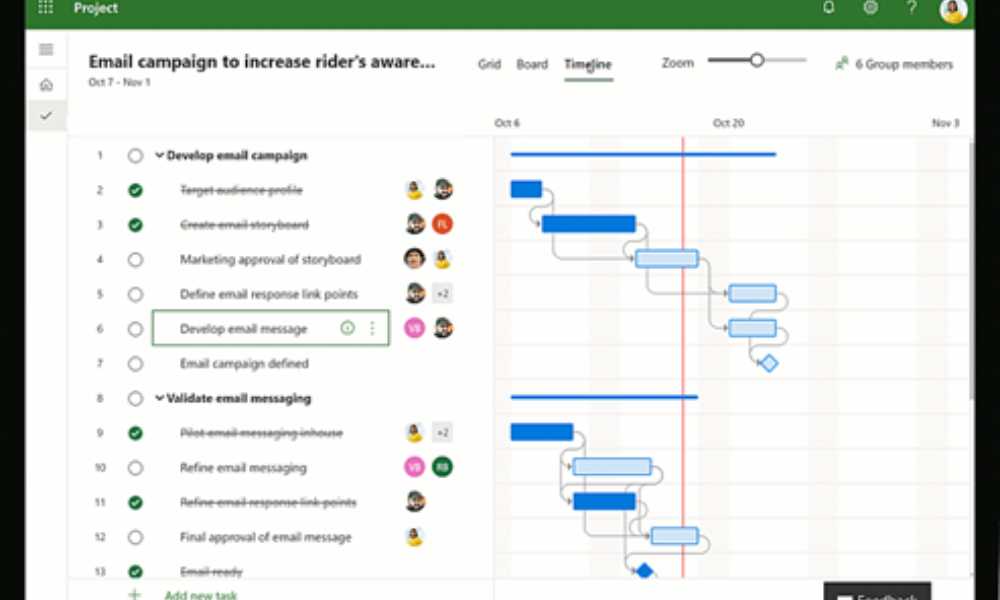
MS Project is a set of tools for project and portfolio management. It is used in a multitude of industries, including financial services, government, retail, and many more. The suite of tools is utilized to set goals for teams and create schedules for customers. It is also used to distribute and manage the company’s resources and budget.
What are the obligations of a project manager?
You might ask, ” What does a project manager do? Well, they plan and execute projects while managing the budget and resources. They also play important leadership roles, assigning teams and setting project goals. They also communicate with clients and supervise projects to ensure they are completed within a set period.
While the project manager’s salary looks attractive, it does come with a huge responsibility. You’ll need to have the leadership and technical skills to go with it. You’ve got to make sure you can meet goals as much as possible. That’s because every failure of a campaign or project is traced back to you.
Types of Reports
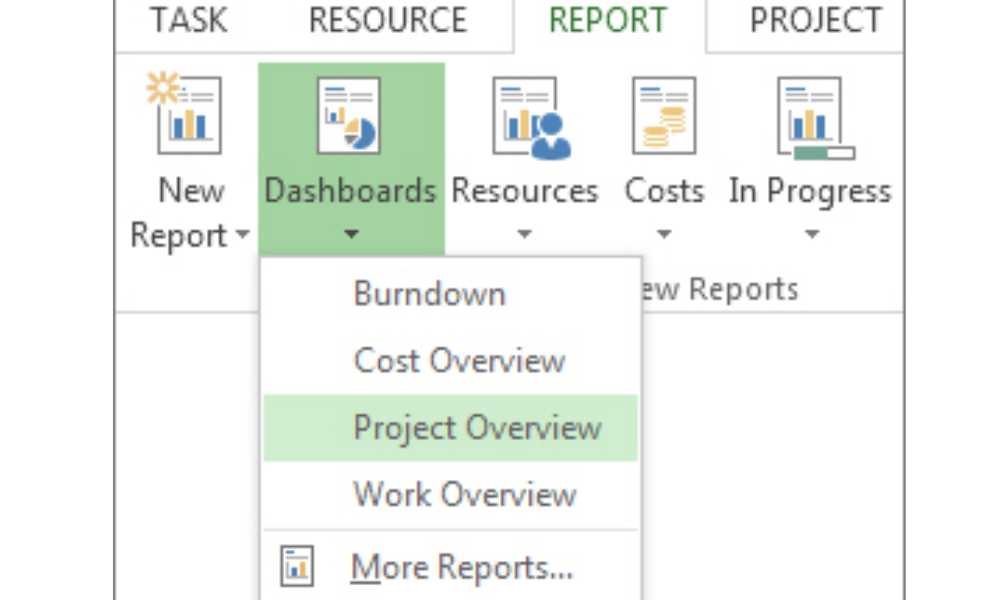
Before we head over to the steps in creating a report, you’ll need to know the types of reports you’ll be working with. There are plenty of report types that you’ll be working with. Each one has its specifics.
Here they are as follows:
- Cost overview. This report shows the current status of high-level tasks. It includes the project’s plans and costs.
- This report type shows the progress of an individual project. If it’s not complete, it also shows how much progress remains.
- Project overview. This is more of a progress monitor. You’ll see which ones are done, some achievements, and overdue work.
- Upcoming tasks. This report shows the tasks that have yet to arrive or be started.
- Cash Flow. This report type gives more emphasis on earnings and expenditures. It is a quarterly report on all projects.
- Resource cost overview. A table-type report. Shows the distribution of expenses for a project in a chart.
- New reports from templates. Think of it as a fully customized report. You use a template and utilize charts or tables to form it.
Creating Custom Reports in MS Project
Creating custom reports should be part of your Microsoft Project training. However, if you’re looking for a more concise version of how to create a report, you’ve come to the right place. Keep in mind not to miss any steps to minimize mistakes. Here are the steps for creating a custom report:
- Create a report. To start with, the creation of a custom report. Access the reports tab. Under “View Reports”, you’ll create the report you want to make. You can pick any of the report templates, but don’t let it limit your creativity. You can get creative with your reports once you’ve gathered more experience with Microsoft Project.
Alternatively, if you are already familiar with MS Project’s layout, you can go to Report and click on the new report option. You’ll select one of the four new report templates to use. Give it a name and start adding info.
- Change your report’s data. Click the table or the chart you wish to change. With the field list pane on the right side of the screen, select the fields to display information. You can now change the information in the report. You can use chart elements and filters to add labels and filter the information you’ve placed.
- Change your report’s appearance. You can adjust the appearance of your report on Microsoft Project. Click any part of your report, and you’ll see “Report Tools Design”. From there, you can change the report’s appearance to your liking. If you click on tables or charts present in the report, you can add additional tabs to format them.The new tab allows you to add some more elements to your report, such as the following:
- Drawing Tools Format: Allows you to format shapes and add text boxes to the report
- Picture tools format: lets you add effects to images in the report.
- Table Tools Design & Table Tools Layout: These tabs let you adjust tables to your liking. The way this is used is reminiscent of the other Office programs.
- Chart Tools Design & Chart Tools Format: These tabs let you customize charts to suit your preferences.
- Share your report. To do this, you can click anywhere on the report. Then click on report tools, design, and then copy the report. Paste it into any program that supports displaying graphics. You can also go the old-fashioned route of printing it out.
Here are a few notes to consider when working with a Microsoft Project report:
- You can save your templates by using the organizer for use in later projects
- Setting up a timeline of high-priority tasks and achievements is a must. Keeps track of important matters and wins among teams.
Now that you’re oriented on how custom reports are created. It’s time for you to practice the creation of these reports. You can start by creating reports with a set template. Once you’ve gained enough experience working with templates, you can proceed to create your reports.
Conclusion
Project management can be challenging, but MS Project makes it easier. Its numerous features simplify the task for project managers. They can create high-quality reports effortlessly. However, project managers shouldn’t rely solely on built-in templates. Customizing reports adds a personal touch and improves presentation.
By harnessing versatility, organization, and timely reporting, project managers can excel. MS Project is an invaluable tool in achieving these goals. It enables the creation of custom reports. Creating Custom Reports in MS Project allows managers to tailor reports as needed. This flexibility ensures reports meet specific requirements.