
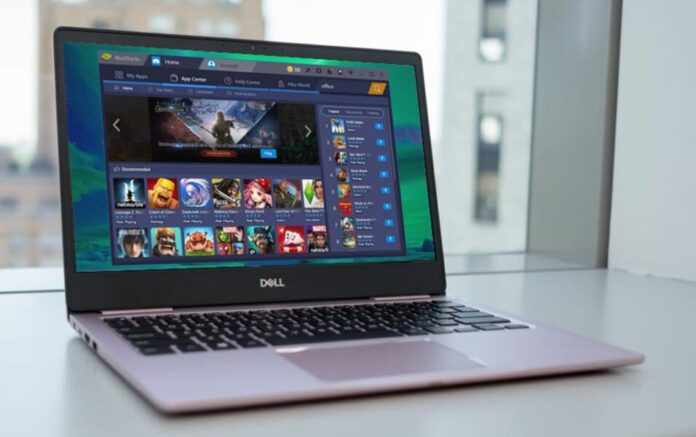

To begin, let us first understand what are android emulators is. So, based upon computer terminology, an emulator is a program (software) that copies or assumes another program or device allowing us to run programs or systems not meant to be used by them. It is a virtual device that represents a specific device running on a PC. We can experience a virtual operating system on our desktop or laptop using this type of software.
Another key thing to remember is that emulators are hardware, but since the hardware is expensive to replicate, android emulators are mostly software-based. android Emulators are commonly used so mobile gamers can take a new gaming experience on their PC without worrying about the battery life of their devices. Want to play iOS games on android? Follow through to use these android emulators to Emulate iOS on android. Thus, android emulators can bridge the gap between operating systems or completely different devices, allowing programs to work on all sorts of hardware.
top 5 Online Android Emulators for Seamless Performance and Enhanced user Experience
1. LDPlayer
LDPlayer is also known as Lightweight Android Emulator and is targeted at Gamers. A free Android emulator uses virtualization technology and helps people experience android operating systems on their powerful computers.
2. Bluestacks
BlueStacks is software that brings android to a Windows computer. It is a popular and free emulator for running Android apps on a PC or Mac computer. Multiple Android applications can run at once and each in a new tab of BlueStacks.
It doesn’t look exactly like Android, but it is easy to use. You can install Android apps from the Play Store. It has modest system requirements. BlueStacks should work with computers running Windows 10 or macOS Sierra. It allows you to use your system’s mouse and keyboard with Android apps. Unlike a smartphone with a fixed-size screen, you can resize BlueStacks windows. This lets you make apps larger or switch to fullscreen.
Not every Android app offers a Windows, macOS, or web-based equivalent. Therefore it is an easy way to gain access to Android apps on your PC. It also provides a multi-instance mode that runs multiple instances of the same app, appealing to productivity buffs and gamers and enabling streaming Android gameplay to live to Twitch.
It is safe to install and use as long as you install the program from BlueStacks’ website; otherwise, installing it from a third-party site might be riskier and might block the program’s installation. Its older version, BlueStacks 3, is no longer supported, but many support pages remain available for that version.
3. Game Loop
GameLoop is appraised as one of the most advanced Android emulators for Windows to play mobile games on PC. It is formerly known as Tencent Gaming Buddy; while it’s an official property of Tencent, it permits you to play a wide variety of mobile games that Tencent has no affiliation with.
Game Loop provides support for multiple languages, and it has a fraud prevention and additional security measures. The service offers other extras like an enormous library, network acceleration, an exclusive anti-cheating system, live video and voice chat, and even its engine, which allows you to manually tweak each game’s graphic settings to perform well on a wide variety of PCs. The emulator also supports smooth play on low-profile computers and is compatible with numerous games. For installing games, this is highly optimized and also is free.
4. NOX Player
Nox Player is a free desktop or laptop application that is very easy to use and allows you to play android or iOS apps on Windows or Mac computers, respectively. It supports the keyboard, gamepad, script recording, and multiple instances and is the perfect Android emulator. This software emulates the operating system of various mobile devices so you can install and run video games and apps created for smartphones on your PC.
It is stable as it can run two or more apps simultaneously on most computers without freezing and works without crashes, unlike other android emulators. You can add external devices such as Bluetooth, a joystick, a wireless optical mouse, or a pen mouse. Also, it makes seamless connections between electronic devices safe and virus-free. It gets downloaded very easily, and updates are regularly available.
5. Memu:
MEmu is an Android emulator that deals primarily with video games, watching a live show and TV channels, and takes ten seconds to start. It has fast APK installation by drag and drop. It has GPS location simulation and easy file sharing between Windows and Android. On one-click Android system creation/clone/deleting, and we can run multiple Android instances simultaneously. MEmu gives us access to the whole catalog of games on our PC and therefore is an exceptional Android emulator. You don’t need to adjust complicated settings and configure the controls, install it and start playing. Also, We can chat more conveniently by using the keyboard in Whatsapp, Wechat, etc. It directly opens several Android Emulator windows.
It also supports mapping the keyboard/joystick to screen touch for a much better game experience.
Check out: 5 Major Windows 11 New Features and Changes