
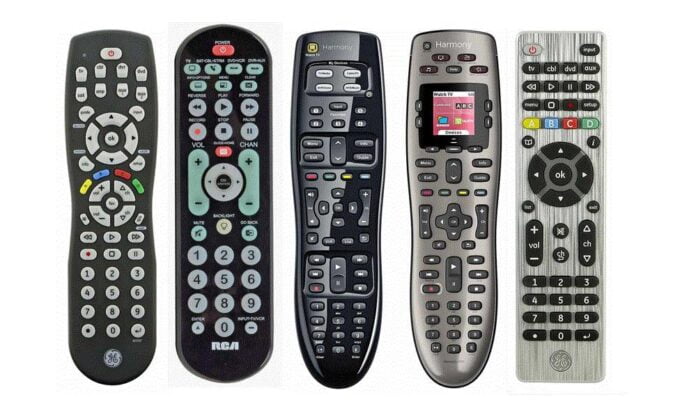

As the name suggests, a universal remote control is an intelligent device to control many devices. Yes, you listened right. It’s the most famous type of remote because of its wide range of compatibility. The reason is that you don’t need to buy them separately for each device; you can easily command almost all the gadgets with the state-of-the-art universal remote control.
This guide is all about the necessary information on universal remote controls and how you can program them quickly. So, let’s get deeper!
How Does Universal Remote Control Work?
Before going into further details, it’s necessary to know how remote control works. If you don’t like programming, you don’t need to worry about it. We will tell you how it communicates with a device more easily.
The story gets started when you just push the button; it immediately generates a signal in the remote’s internal circuit. In simple words, it sends a command code to your relevant gadget, meaning that it tells what to do actually. Remember that remote controls use IR (infrared) signals for communications; therefore, you can use them up to 30 meters of distance.
Not only this, but different remote controllers offer different ranges depending on the device, internal circuitry, and application type. Here a question arises, how does the TV (or device) understand the command? Don’t Worry! We are here to tell you everything. In actuality, the programmers’ program both the device and controller with the same code to make them synchronized with each other. Furthermore, different types of codes are used, just like numeric, alphabets, and miscellaneous.
Importance of Universal Remote Control
They are becoming an essential element for home, office, and many other areas. These small gadget-like devices are not complex and occupy an extremely small space without disturbing our daily tasks. Besides all, they are very helpful in controlling most of our home and office devices easily. In a nutshell, they are fulfilling their purpose of making people’s life easier and comfortable.
Which Devices Can We Control With Universal Remote Control?
With it, you can control the maximum of your home electronic devices that are operated by remotes. From your smart LED TV, multimedia centres to gaming consoles and more. In our experience, we refer to it for controlling TVs, BlueRay Player, home cinemas, sound systems, and so on. In our opinion, you must check the compatibility before going for the purchase to get rid of any further disappointment.
How To Program A Universal Remote Control
If you are a programming enthusiast and like to know about remote control programming, you are at the perfect spot. You can easily program a universal remote control to work with multiple devices such as TVs, cable boxes, theatre receivers, DVD players, and more. So, let’s get deeper!
Check out: What Is Secure Remote Access In Today’s Enterprise?
1. Use an Instructional manual
Most people neglect this option; however, it’s one of the top programming methods. Just open the included manual, and you will see the different programming codes for different devices. You don’t need to get in trouble with any unnecessary details; check out the code-entering instruction, and all is good to go.
The instructions will cover all the necessary details from start to end. In our opinion, just follow the instructions and apply the step-by-step procedure for your relevant device. Moreover, go to troubleshooting instructions to get out of any problem if encountered. So, follow the guide thoroughly, and it’s all done with the programming.
2. Auto-search Code Option
If the first method does not work for you, you can try this method. Keep in mind that universal remote controls have a dedicated database having different codes of several devices. Just press the play & stop buttons simultaneously to activate the auto-search option. It will take a little while to find out the accurate code.
3. Reset the Remote
The manufacturers are well-aware that people usually lose the instruction manual and don’t remember how to program it again. Don’t worry! We are here to assist you. Resetting the remote control is the best option for everyone. You can reset it by taking the batteries out and reinstalling them; when you do that, the overall program reset to its default.
4. Search The Code Online
It’s handy to find the code online; almost all the manufacturers and several bloggers publish different codes online. You will find the opportunity not only for a single code but bloggers and manufacturers to share several codes for one device. Not only this, but you will find the procedure by which you can enter that codes effortlessly.
Final Verdict
A universal remote control is becoming more popular with the advancement of technology and the emergency of digital devices every day. We have given out all the relevant information about the programming technique of universal remote. We hope you will find them helpful.