


RouterSploit on Android Device is an advanced open-source framework configuration designed to detect and exploit security vulnerabilities in routers, IoT devices, and embedded systems. This tool can be used in combination with an Android device to allow security professionals, penetration testers, and ethical hackers to perform on-the-go assessments with minimal hardware.
In this thorough tutorial, we shall teach you to set up and to adapt a RouterSploit on Android Device: for your own uses; we will also take the time to help you understand the key parts and pieces that make the device tick and, more useful to the average reader, make it work for them. We’ll also cover all the key safety and legal pointers you need to know so that you can use this powerful tool without worry.
RouterSploit on Android Device: Why Use It on Android?
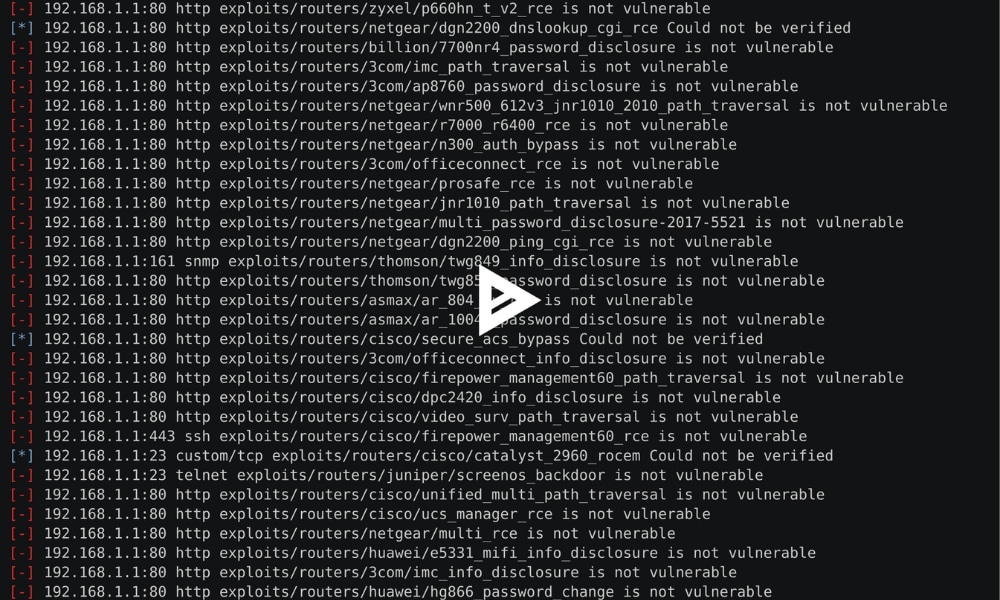
RouterSploit is frequently called the Metasploit for routers. It is aimed directly at embedded devices and works through a variety of vulnerabilities. It has plenty of exploit modules, scanning tools, brute-force utilities, and credential-testing gizmos.
1. Executing “RouterSploit on Android devices provides:
- Portability: Employing your Android phone for pretesting is possible without the presence of a laptop.
- Wireless Access: Effortlessly connect to Wi-Fi targets when performing physical or on-site evaluations.
- Cost-efficiency: Just a free app and some configuration, no need for pricey hardware.
2. Is Using RouterSploit on Android Device Legal?
The tool is completely legal when employed in responsible and authorized contexts. Its uses include:
- In your personal devices and networks
- In corporate or freelance pretesting engagements, it is imperative to have explicit permission.
- For purposes of education or training
Do not use RouterSploit (or any similar tool) on public or private networks unless you have permission. Besides being highly unethical, using these tools without permission can lead to serious criminal charges—even if your intentions are purely educational.
3. System Requirements for RouterSploit on Android Device:
Hardware Requirements
- Android 8.0 or higher
- At least 2 GB RAM
- 200–300 MB free internal storage
- Rooted device (optional, but improves compatibility)
Software Requirements
- Termux (preferred) or Pydroid3
- Git
- Python (version 3.6+)
- Internet connection for downloading modules and updates
4. Installing RouterSploit via Termux (Recommended)
To install RouterSploit on Android using Termux, proceed as follows:
- Before installing RouterSploit, you need to set up Termux. If you haven’t already done so, download and install the Termux application from the Google Play Store or from their GitHub release page.
- After installing Termux, open it up and run the following command to install the necessary dependencies for RouterSploit:
pkg install git python2 -y - Next, you need to download RouterSploit from its GitHub repository. To do this, execute the following command in Termux:
git clone https://github.com/threat9/RouterSploit.git - After downloading RouterSploit, you need to navigate into the RouterSploit directory that was just created using the `cd` command:
cd RouterSploit - Now it’s time to run RouterSploit. But before doing so, make sure you have the required packages by executing the following command:
pip2 install -r requirements.txt - Finally, execute the command to run RouterSploit, and you’re done!
Obtain Termux from the F-Droid repository: Steer clear of the version available on the Play Store, as it could be an outdated iteration.
To obtain the most recent version, utilize F-Droid to download it
Update package lists:
pkg update && pkg upgradeInstall Python and Git:
pkg install python gitClone the RouterSploit repository:
git clone https://github.com/threat9/routersploitNavigate to the RouterSploit directory:
cd routersploitInstall required dependencies:
pip install -r requirements.txtStart RouterSploit:
python3 rsf.py
At this point, you’ll be inside the RouterSploit command-line interface, where you can begin using its modules.
Understanding the Interface for RouterSploit on Android Device:
Once RouterSploit is operational, you will engage with it using commands akin to those used in other CLI-based security tools. Here is a breakdown of navigating through RouterSploit and utilizing its features.
1. Accessing Available Modules
To list all modules:
Run command: show modules
2. Selecting a Module
- Use the following command to load a specific module:
use exploits/routers/netgear/rom-0
This instance focuses on an understood weakness in Netgear routers. Substitute the module path with any module from the list of displayed modules.
3. Selecting Module Options
- Once a module is selected, view its options:
show options
4. Setting Module Parameters
- To configure a value, use the
setcommand:set target 192.168.1.1