


I’ll be honest: keeping up with streaming services in late 2025 feels like a second job. Between the “password sharing” crackdowns that kick your parents off your account and the price hikes that seem to hit right before the holidays, it’s messy.
While our Disney Plus review breaks down why the service is worth it (or not), this guide is strictly about how it works. I’ve dug through the fine print—so you don’t have to—to answer the most annoying Disney Plus Frequently Asked Questions confusing subscribers right now.
Here is the no-nonsense 10 Disney Plus Frequently Asked Questions for 2026
1. When Did the 2025 Price Increase Actually Start?
This is the single most confusing part of the recent update, and here is the reality:
For new subscribers, the price hike officially kicked in on October 21, 2025. If you signed up today, you are paying the new rates immediately.
However, for existing subscribers, the rollout is slower. According to Disney’s press guidelines, many legacy subscribers won’t see the new pricing reflected on their bills until their first billing cycle on or after December 2025. So, if you are wondering why your bill hasn’t jumped yet, don’t celebrate—it’s scheduled for December.
The New 2025 Pricing:
- Disney+ Basic (With Ads): $11.99/month
- Disney+ Premium (No Ads): $18.99/month
- Duo Bundle (Disney+ & Hulu, With Ads): $12.99/month
2. Can I Still Share My Password in 2025?
Officially? No.
Disney has fully implemented its “Paid Sharing” program, and they are aggressive about it. If the app detects a login from a TV outside your primary household, it will eventually block access.
You now have two legitimate options:
- Kick them off: Force them to get their own subscription.
- Add an “Extra Member”: You can pay a monthly fee to keep one person outside your home on your account.
The “Extra Member” Cost:
- $6.99/month if you are on the Basic (Ads) plan.
- $9.99/month if you are on the Premium (No Ads) plan.
Note: You can’t add extra members if you pay through a third party like Verizon or T-Mobile.
3. Is There ANY Way to Get a Free Trial?
Directly through Disney? No. They killed the standard 7-day trial years ago and haven’t brought it back.
The only “loopholes” left are carrier bundles:
- Verizon: Some Unlimited plans in the US still include a 6-month Disney+ promo.
- Hulu: If you sign up for a Hulu + Live TV trial (usually 3 days), you get temporary access to the Disney bundle.
- O2 (UK): Check your “Extras” if you are an O2 mobile customer.
4. Why Can’t I Download Movies for Offline Viewing?
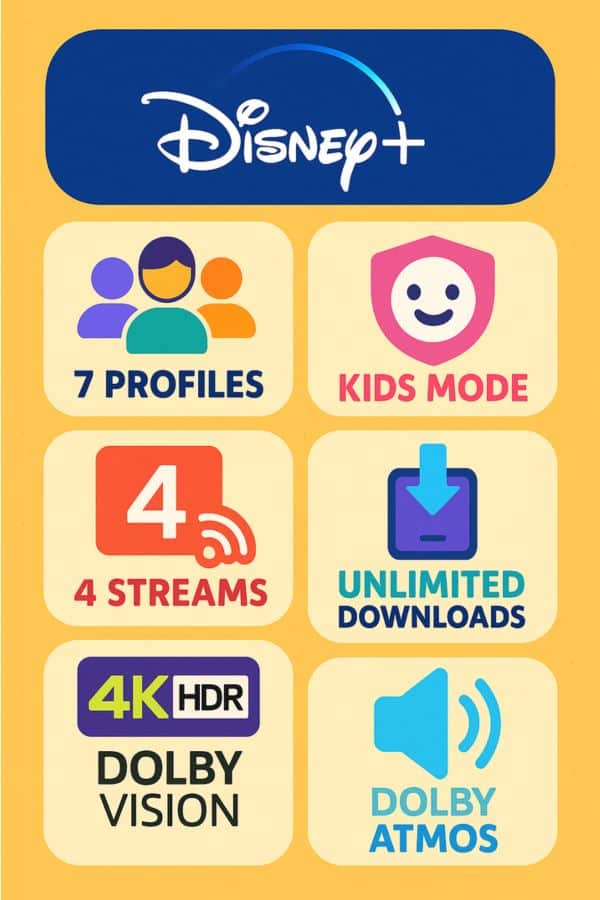
I hear this complaint constantly from travelers. If you don’t see a “Download” button, it’s almost certainly because you are on the Basic (With Ads) plan.
Disney removed offline downloads from the ad-supported tier to force upgrades. If you want to save Moana 2 for a flight, you have to pay for the Premium ($18.99) plan.
Pro Tip: Even on Premium, downloads expire after 48 hours once you press play. You have to reconnect to the internet to renew them.
5. Disney Plus Frequently Asked Questions: How Do I Fix Error Code 83?
If you see Error Code 83, it essentially means “We don’t like your device or your connection right now.” It is the most common generic error on the platform.
My 3-Step Fix:
- Force Close: Don’t just minimize the app—swipe it away completely to kill the background process.
- Toggle Connections: If you are on Wi-Fi, switch to cellular data (or vice versa) and try to load the video. This forces a new “handshake” with the server.
- Update: Disney+ breaks easily on outdated versions. Check the App Store immediately.
6. Why Does 4K Buffering Happen So Much?
Disney+ uses a very high bitrate for its 4K UHD content—much higher than Netflix or YouTube.
While they officially recommend 25 Mbps, that is a “perfect world” number. In reality, if your Wi-Fi fluctuates or someone else is gaming in the next room, Disney+ will stutter. To stream 4K HDR reliably without the spinning circle, you realistically need a stable 50 Mbps+ connection.
7. How Do I Actually Cancel? (It’s Not in the App)
Disney hides this button on purpose. You generally cannot cancel directly inside the smart TV app or the mobile app if you signed up via the web.
The Web Method:
- Go to DisneyPlus.com on a browser.
- Hover over your Profile > Account.
- Click on your Subscription (e.g., “Disney+ Premium”).
- Scroll down to Cancel Subscription.
Warning: If you signed up via Apple ID, Google Play, or Amazon, you MUST cancel inside those specific app stores under their “Subscriptions” menu.
8. Why Are There Ads on My “No Ads” Plan?
This feels like a scam, but it’s technically “legal” per their terms. Even on the $18.99 Premium plan, you will still see ads in Live Content.
If you are watching a live stream (like a scheduled premiere, a sporting event via the ESPN tile, or ABC News Live), those streams have commercial breaks built in. Disney does not strip those out, regardless of what plan you pay for.
9. Is There a Student Discount?
Surprisingly, no.
Unlike Hulu, which has a famous $1.99/month student deal, Disney Plus has no standalone student tier.
The Workaround: Students can sign up for the Hulu Student plan ($1.99) and sometimes add Disney+ as an “add-on” for a slight discount, but there is no direct $5 student plan for Disney+ itself.
10. What Happens to My Price if I Don’t Switch Plans?
This addresses the “December” confusion. If you were a legacy subscriber on an older plan, Disney will likely migrate you automatically.
For many users, unless you actively logged in and switched to the cheaper “Basic” plan, you were kept on the “Premium” (No Ads) tier by default. This means your bill likely jumped from the old rate to the new $18.99 rate starting in your December 2025 billing cycle. Check your bank statement—you might be paying for Premium without realizing it.
If you are still debating whether the service is worth the higher price tag, check out our full analysis here: Disney Plus Review: App, Performance and Pricing.