
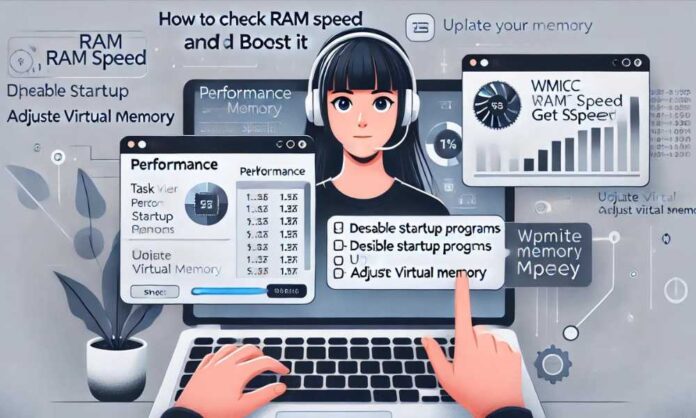

If you want to Check RAM Speed and enhance your computer’s RAM performance, then continue reading this article as it will help you with the same.
An important part of a computer system is RAM, which stands for Random Access Memory. It is also called computer memory. It is a short-term storage where programs can store data and quickly get to it. RAM is a type of volatile memory, which means that when you turn off and then on your computer again, you lose everything that was stored there.
When you add more RAM, your computer can store and access more info at once, which speeds it up and makes it run faster. When you open a file or software, it is put into RAM so that the processor can get to it quickly. You can get more RAM room in several ways. Here are some tips that will help your PC or laptop work better.
Different Methods to Check RAM Speed And Tips To Boost It
Continue reading this article as it will tell you different ways to check your RAM speed as well as methods to boost it without using the Best Ram Cleaner app.
Method 1: Check RAM Speed Via Task Manager
For Windows 10, this is the simplest method to see how fast your RAM is. You can access a lot of features, including checking RAM speed, ending processes, restarting apps, and more, in Task Manager. The following are the actions to take in Task Manager to verify the RAM speed.
- Select Task Manager by simultaneously pressing Ctrl, Alt, and Del.
- All currently active programs are shown in the Task Manager window. Choose “Memory” from the “Performance” menu.
- You may now see both the total installed RAM and the available RAM. The RAM speed is also shown. As you can see, it’s 2666 MHz.
- If you want to assist additional people, you can share these techniques on social media by clicking the links below.
Method 2: Check RAM Speed Via Command Prompt
The Command Prompt is an additional tool you may use to see how fast your laptop’s RAM is. To make matters worse, the Command Prompt is often thought of as a rather convoluted approach. People who aren’t acquainted with the Command Prompt or technical requirements could find it difficult to use since it needs them to type particular commands and then analyze the results. Follow these instructions to use the CMD Prompt to check the speed of your RAM:
- To open the Run box, press the Windows logo and the R keys on your keyboard at the same time.
- After entering cmd, hit OK.
- Enter wmic memorychip get speed at the command prompt. The speed of your PC’s RAM chip may be seen here.
- By pressing Enter, type the command wmic computersystem get totalphysicalmemory. You may see the entire amount of RAM on your computer by doing this.
- The Command Prompt will show your computer’s speed after you run the command.
Solution 1: Disable Start-Up Programs To Speed Up RAM
Upon booting up, certain apps begin running. Even when you’re not using them, startup applications might still use up your RAM. Disabling unused apps may greatly improve computer performance, particularly after a boot-up.
By navigating to the starting tab in Windows Task Manager, you may deactivate starting apps. All of the starting applications and how much memory they need are listed on this tab. Disabling any starting applications that have a major impact on memory should be your priority.
Solution 2: Update Your OS
Better RAM optimization is often delivered by software vendors via regular product updates. This is valid for any applications, including Windows and other operating systems.
You should think about upgrading all the apps on your cellphone to get the most out of its memory. Windows updates, both big and small, may dramatically boost speed, so be sure to apply them all. Updating your program regularly also gives you access to new features.
Solution 3: Adjust Virtual Memory
When the RAM is mostly full, Windows gives you the option to utilize your disk space as a memory repository. Virtual memory, sometimes called the page file, is what this capability is called.
- To access the advanced system options, go to Options> System > About in the Settings menu.
- Go to Performance and then choose Settings.
- To access the Virtual Memory area, go to the Advanced tab and then click Change.
A window for virtual memory will pop up. When you enable Windows to automatically manage all drives’ paging file sizes, the operating system will take care of the virtual memory capacity automatically. The Initial size and Maximum size columns also allow you to enter your preferred settings.
Solution 3: Clear RAM Cache – One-Line Command
Reducing memory usage in Windows 10 with RAM cache clearing Here’s how you can do it:
1. Restart Your Computer
A most common method of clearing your RAM cache is restarting the computer. Simply restarting the machine will flush RAM and kill off any background processes.
Steps:
- Click on the Start menu.
- Select Power.
- Click Restart.
2. Clear Memory Cache Using Command Prompt
Flush Memory Cache from Command Prompt (CMD)
Steps:
Right-click on the Windows Start button and select Run (or press Win + R)
- Type cmd and press Enter.
- Press Windows + R, type cmd and hit Enter key to open command prompt. Type ipconfig /flushdns in the Command Prompt window, then press ENTER
- 3. Utilize Windows Memory Diagnostic Tool
3. Use Windows Memory Diagnostic Tool
Steps:
- Press Win + R, type mdsched. exe, and press Enter.
- Decide when to restart the computer for a memory check (now/after so often, etc.).
- It will check the memory on a restart and flush any cache problems.
Endnote
Checking and improving Check RAM Speed is an important part of making your computer run faster. You can make your system better by learning about RAM speed factors and using the right troubleshooting tools. Once you know how fast your RAM is, there are many ways to make it faster. But you should be careful when you boost so that your computer stays stable and you don’t have any tech issues.