
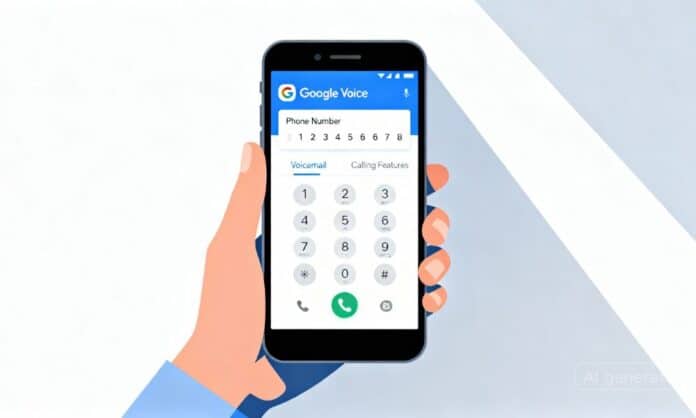

Google Voice is a free service for the USA. This feature will help you to receive and dial any phone calls, test receiving or send and voicemail. Google Voice numbers comes with all cool features. One number to receive all calls free of cost. Also, compare this number as a proxy number instead of your US number.
To use this phone number you don’t need to stay in the USA. With no hassle of USA location or device, Pick up your phone calls from any place. For a person who is not interested in sharing his personal number with all others or wants to hide his personal number, Google Voice number is the best option for them. This application has web version access. So it doesn’t matter if you are using a laptop, computer or tablet. Anytime you can get your Google Voice accounts access from any place.
What is a Google Voice Number?
This is a VoIP phone call service by google. You can use this single number for your multiple devices. By using the internet one can also manage phone calls or messages or voicemail from supported locations. Google released this new service on 11 March 2009. In 2025, Google expanded availability to include Belgium, Denmark, France, Germany, Ireland, Italy, Netherlands, Portugal, Spain, Sweden, Switzerland, and the UK with regional limitations.
How to make a new Google Voice number:
Set up your Google Voice account in two different ways. This telephonic server is very easy to get a new Google Voice number. As a successful businessman, you need to share your number in different places. Not only the businessman but also a public figure or other peoples may not be interested to share their private number with all.
You can solve this issue through this new US number. Google Voice offers free service for USA users, with paid plans starting at $10/month for other supported regions. The service has regional limitations which will prevent you from getting access from non-supported locations.
Google Voice Account for the USA Peoples
For people living in the USA, it’s totally free service. You can easily create your Google Voice number by following some steps. The first time you read the content, the process seems complicated to you. But when you will practically do it, the whole process is totally opposite. Here you go:
- First, you need to manage one USA authentic phone number
- Now go to the voice.google.com website through your browser
- Here you need to sign in through your Gmail account
- See, after completing the sign up for Google Voice, they will show you the area code or city to select
- Choose the one you like to have the area code with your number
- The next page will show you multiple numbers to select the one you want
- Select any one from the list
- To complete the setup you need to verify that number
- Click on the verify button
- A box will come to put down your authentic USA number to verify the Google Voice account
- Put down the USA number here and check out your message box for the verification code or call
- Copy the code and paste it on the Google Voice verification code boxes
- Click the Finish button to get full access to your Google Voice account
Google Voice Account for the Non-USA peoples:
To open a new account on Google Voice the process varies by region. For residents of supported countries like UK, Germany, France, and others, official access is available through Google Workspace plans. For users outside supported regions, the main challenge is managing location verification and following regional requirements.
-
Free USA Number – To sign up for Google Voice you may need to follow your region’s specific requirements. Check your country’s support status on Google Voice official channels.
-
VPN Usage – Note that using VPN to bypass regional restrictions may violate Google’s Terms of Service. Official access through supported regions is recommended.
The primary reason for using Google Voice Number:
It has been a long time since Google launched this service. But many Americans still have no proper idea about it. They don’t know that almost all features of Google Voice are free for Americans in the USA. So you should learn about the amazing features it.
- Receiving calls and pick up through Gmail
- Place and receiving the calls over wi-fi
- Sending or receiving a text from supported locations
- Easy phone calls portability
- Voice mail service with transcript
- Call forwarding
- Specific phone calls blocking
- Switching between the cell phone and landline
- Routing powers to input all existing numbers
- Screening power with four options
- Midcall power without interrupting the other calls
Advantages and disadvantages
Without any service charge, you can manage your community from supported locations. You can avoid expensive VoIP providers by using these easy and low-cost options. With an instant view, it seems like Google Voice hits all the points. But the service also has some downsides. Make sure you are comfortable with those also.
Pros:
- You can select multiple phone number from specific area codes
- A single page to receive or dial calls, text or voicemail
- Web-version and app both are available to get access from any device
- Voicemail alter text option as a written transcript
- Midcall flexibility
- Voicemail number pointing facility
- Paid plans available for advanced features and international regions
Cons:
- No emergency call set up with dialing the area code
- Embedded multimedia message limitations
- Limited customer service support for free Google Voice accounts
- Regional restrictions apply outside USA and supported countries
- Free version restricted to USA; paid plans required for other regions
Wrapping Up
Google Voice offers the users all unique features which are really very important to manage your communication from supported locations. Instead of cellular phones, you can enjoy your full phone call controlling service. Amazing digital integration without any massive condition. No chance to miss a single call. You may face a rare unexpected issue to solve it quickly. With the combination of web and phone apps, Google Voice is providing an impressive unique experience to enjoy this technology.
Check out: MUAMA Enence Voice Translator: Complete User Manual