
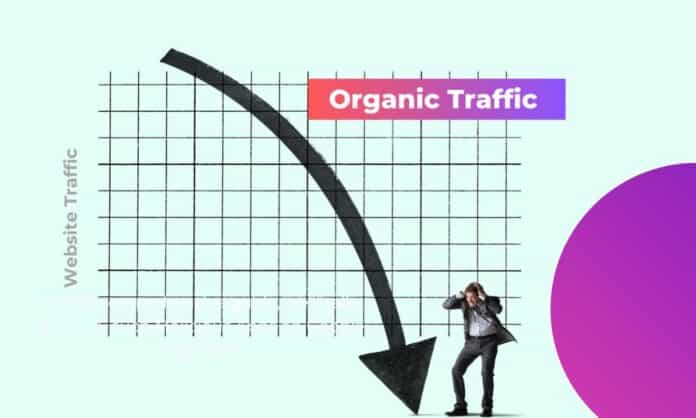

A decline in organic traffic can be alarming for any website owner. Organic traffic refers to the visitors who come to your website through search engines without any paid promotion. If your organic traffic is down, it could have serious consequences for your visibility, leads, and overall business performance. It’s essential to understand the cause behind the drop in order to address it and recover. In this guide, we will walk you through the steps to determine if your website organic traffic is down, analyze the causes, and suggest ways to fix it.
How to Identify if Your Website Organic Traffic is Declining
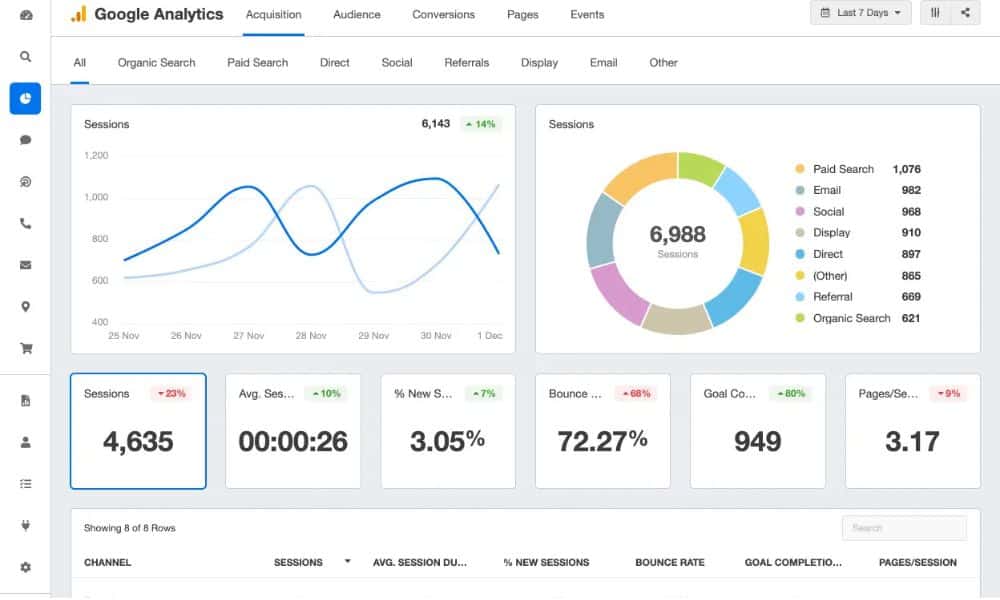
The first step in addressing a decline in organic traffic is to identify whether the drop is real or just a temporary fluctuation. You can determine this by reviewing your traffic analytics from trusted sources like Google Analytics. Consistent patterns over a longer period of time are often a reliable indicator of a decrease.
In most cases, when organic traffic declines, you will notice a drop in both total visits and specific metrics like landing page views or keyword rankings. However, before jumping to conclusions, ensure you are comparing data from similar time frames. A sharp decline could simply be due to seasonal trends or temporary disruptions like search engine algorithm updates. Using tools such as Google Analytics and Google Search Console will help you obtain a clearer picture.
Common Causes for Declining Organic Traffic
There are many reasons why your website’s organic traffic could be on the decline. Some of these reasons can be easily identified and fixed, while others might require deeper analysis and long-term adjustments. Below are some of the common causes:
- Search Engine Algorithm Updates: Changes in search engine algorithms can lead to sudden drops in traffic. Websites may not meet new ranking criteria, resulting in lower visibility.
- Technical Issues: Site speed, broken links, or poor mobile responsiveness can all negatively impact your rankings and user experience.
- Outdated Content: Content that no longer aligns with user intent or lacks freshness can cause a decline in organic traffic.
- Loss of Backlinks: If your website loses valuable backlinks, it may drop in authority and experience a decrease in organic search visibility.
- Increased Competition: Competitors may adopt more aggressive SEO tactics, causing your site to lose its edge in search rankings.
By analyzing these causes, you can identify which ones are affecting your website and begin addressing them accordingly.
1. Search Engine Algorithm Updates
Search engines, particularly Google, constantly update their algorithms to provide better search results. When these updates happen, websites that previously ranked well may find themselves pushed down in search engine results pages (SERPs). In some cases, a change in algorithm could reduce your site’s visibility if it doesn’t meet the new ranking criteria.
Google has been known to roll out algorithm updates that affect certain types of content or technical SEO factors, so it’s important to stay informed about these changes. A sudden drop in rankings could be a direct result of an update. Tools like Moz’s Google Algorithm Change History or SEMrush’s Sensor tool can help track these changes and see how your site was affected.
2. Technical Issues on Your Website
Technical problems on your site can also lead to a decrease in organic traffic. Common technical issues that affect SEO include slow page loading times, broken links, mobile unfriendliness, or improper use of canonical tags. These issues can negatively affect the user experience, causing both search engines and users to avoid your website.
If search engines can’t crawl your pages properly or if visitors leave due to a frustrating experience, your organic traffic will inevitably decline. To diagnose technical issues, you can run a site audit using tools like Screaming Frog SEO Spider or Google Search Console. These tools will help you identify errors such as broken links, missing meta tags, or crawl issues, allowing you to fix them promptly.
3. Loss of High-Quality Backlinks
Backlinks from authoritative websites help to improve your site’s domain authority and search rankings. A sudden loss of high-quality backlinks can harm your site’s SEO performance and cause a drop in traffic. This could happen if a website that has linked to you deletes the link, or if the link becomes irrelevant due to content changes.
To prevent this, use tools like Ahrefs or Majestic to monitor your backlink profile regularly. If you notice any lost links, you can reach out to the website owner to request the link’s reinstatement. Additionally, building new, high-quality backlinks through outreach and content marketing will help counteract any losses.
Steps to Diagnose and Analyze Organic Traffic Decline
Once you’ve identified that your organic traffic is down, the next step is to dig deeper into why this is happening. Diagnosis involves both analyzing your website’s data and considering external factors that may have affected your site’s visibility. Below are a few steps you can take:
- Review Traffic Trends: Use Google Analytics to track organic traffic trends over time. If you notice a drop in the traffic, compare the data with previous periods (monthly, quarterly, or yearly) to see if this is an ongoing issue or a temporary blip. Pay close attention to changes in organic landing page traffic and keywords.
- Check for Algorithm Updates: Review Google’s recent algorithm updates and see if your website was affected by any of them. Understanding how these changes impact SEO can help you pinpoint the issue and take corrective actions.
- Perform a Technical Audit: Conduct a full website audit using tools like Google Search Console, Screaming Frog, or SEMrush. This will help you identify any technical problems such as broken links, duplicate content, or slow loading speeds that could be affecting your rankings.
- Assess Content Quality: Outdated, thin, or irrelevant content can also contribute to a decrease in organic traffic. Review your existing content to ensure it is fresh, relevant, and provides value to users. If necessary, update the content to meet current user intent and SEO guidelines.
- Monitor Competitor Activity: Use competitor analysis tools like SEMrush or Ahrefs to see how your competitors are performing. They may have adopted new SEO strategies or gained new backlinks that have put them ahead of you in search rankings. Identifying and adapting to these strategies can help you regain your competitive edge.
How to Improve Organic Traffic After a Decline
Now that you know what might be causing the drop in your organic traffic, it’s time to implement strategies to fix it. The following methods can help you recover lost traffic and improve your website’s performance in the long run:
1. Update and Refresh Content
Content quality is a critical factor in ranking well on search engines. If your content is outdated or lacks sufficient depth, search engines may push your site lower in the rankings. Consider reviewing your high-performing pages and updating them with current information, new insights, or additional content. Adding multimedia elements like videos, images, or infographics can also enhance the value of your content.
You should also optimize content for user intent. Ensure that it answers the questions your audience is asking and provides useful solutions. This will not only help your SEO rankings but also engage your audience and keep them on your site longer.
2. Improve Website Performance
Technical SEO plays a significant role in maintaining healthy organic traffic. If your website has slow loading speeds or other technical issues, it will likely rank poorly in search results. To remedy this, improve your website’s speed, fix broken links, and ensure that your site is mobile-friendly.
Tools like Google PageSpeed Insights and GTmetrix can help you assess your website’s performance and provide actionable recommendations for improvement.
Check out: Best SEO tools you shold Use
3. Rebuild and Gain New Backlinks
Backlinks are a critical component of SEO. Without quality backlinks, it’s difficult for your website to rank well in search results. To rebuild lost backlinks, start by reaching out to the website owners of links that have been removed or updated. Simultaneously, look for new opportunities to acquire backlinks by creating valuable content and promoting it through outreach and partnerships.
Consider guest blogging, digital PR, or influencer collaborations to acquire high-quality backlinks that will boost your domain authority.
4. Monitor Competitors and Adopt Best Practices
Keep an eye on what your competitors are doing. They might be using new tactics or targeting different keywords that have resulted in increased traffic. Using competitive analysis tools will give you insights into their strategies, allowing you to adapt and stay competitive.
Focus on creating unique, high-quality content that answers questions your competitors might not be addressing. This can help you stand out and attract more organic traffic.
Conclusion
Understanding how to determine if your website organic traffic is down is the first step in addressing any traffic issues. By following the diagnostic steps outlined above, you can identify the causes of the decline and take steps to recover. Regular monitoring and optimization are key to maintaining strong organic traffic levels and ensuring that your website continues to perform well in search engines. By focusing on content quality, technical SEO, backlink building, and competitive strategies, you can not only recover your lost traffic but also increase your visibility and grow your online presence.
The hosting provider also plays a crucial role in website performance. Slow server speeds, frequent downtime, or poor uptime reliability can negatively affect user experience and search engine rankings, leading to a decline in organic traffic. Therefore, choosing a reliable hosting provider with good uptime and fast load times is essential to prevent traffic loss and maintain a strong online presence.
Check out: How to Drive Massive “Facebook Traffic” to Your Website