


On-premises means a business runs applications, servers, storage, databases, and network systems within its own controlled environment rather than relying entirely on a public cloud provider or SaaS vendor. On-premises solutions still matter when local control, predictable performance, data residency, legacy integrations, or direct operational ownership matter more than fast cloud scaling.
Environment pinning: This article is written for May 2026 readers and compares local IT environments, cloud services, SaaS platforms, SaaS data security, and hybrid deployments. It applies to business software, private servers, internal databases, local networks, regulated workloads, branch offices, and data center environments. Vendor features, licensing terms, compliance requirements, pricing models, and service availability
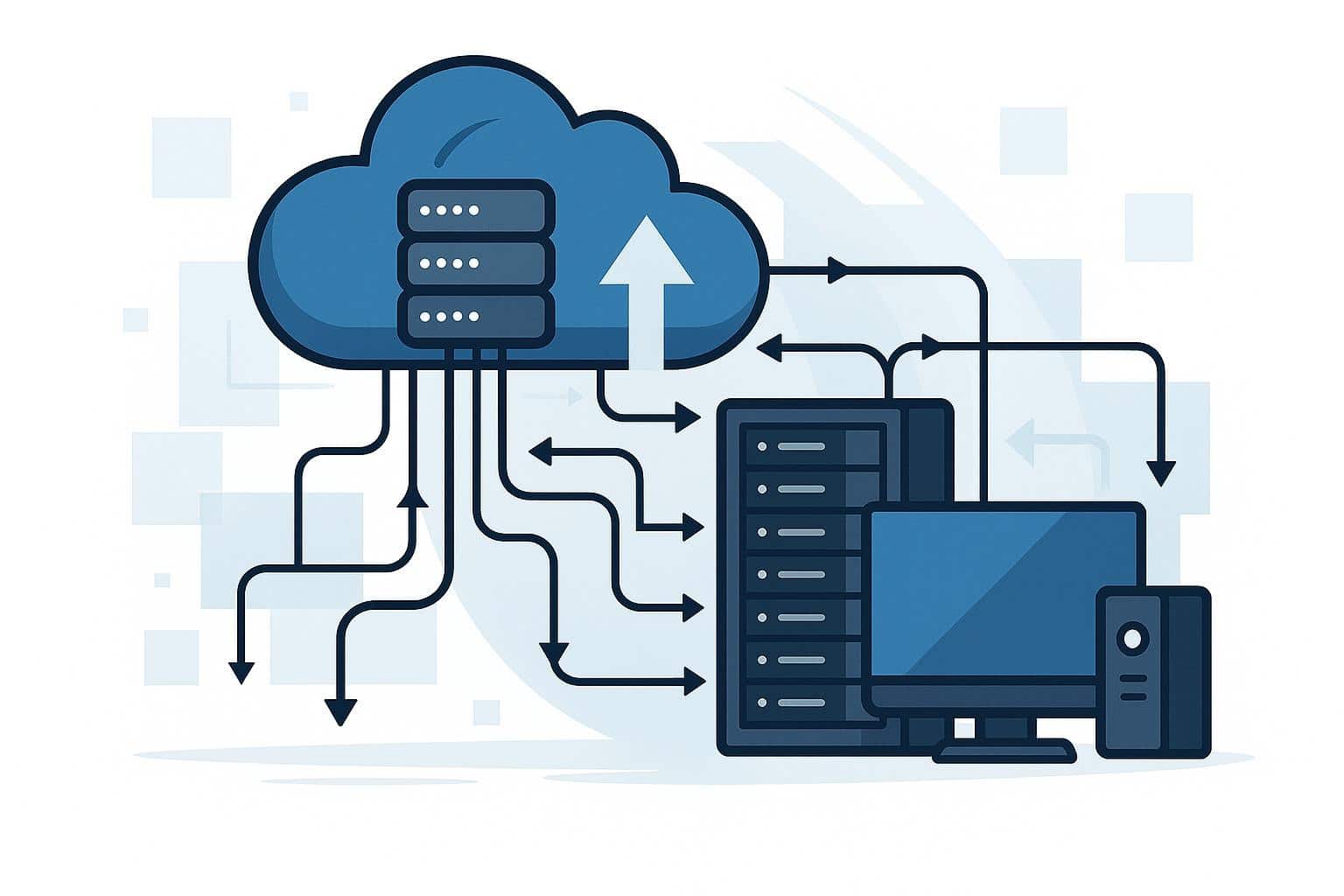
Why On-Premises Solutions Still Matter
The cloud did not make every local system obsolete. It changed the decision. A company no longer has to run every workload inside its own building, but some systems still behave better when the business controls the hardware, network path, access rules, storage location, and recovery process.
IBM describes cloud computing as on-demand access to computing resources such as servers, storage, networking, software, analytics, and other services over the Internet, usually with pay-per-use pricing. That model reduces the need to own physical hardware directly, but it also shifts part of the operating model to a provider-managed environment.
That is where on-premises solutions still have a real place. A hospital may need local access to imaging systems. A factory may need production systems close to machines. A bank may keep sensitive transaction systems in a tightly controlled environment. A school may already own servers for exams, finance, and student records.
The mistake is treating the decision as “old infrastructure versus modern cloud.” That framing is too shallow. The real decision is workload placement: which systems belong locally, which should move to the cloud, which are better as SaaS, and which need a hybrid model.
How On-Premises Infrastructure Works
On-premises infrastructure is the physical and virtual foundation under which a business operates under its own control. It usually includes servers, storage, switches, routers, firewalls, backup systems, operating systems, virtualization platforms, monitoring tools, identity services, and physical security.
This environment may sit in a small office server room, a branch location, a private hosting facility, or a larger data center. The important point is not the size of the room. The important point is responsibility. The organisation is responsible for keeping the environment available, patched, backed up, secured, powered, cooled, monitored, and recoverable.
Microsoft describes hybrid environments as combinations of public cloud services with on-premises infrastructure, often used where organizations have data sovereignty, low-latency, resiliency, or business continuity requirements.
A working on-premises environment usually depends on five layers:
- Physical hardware for compute, storage, networking, rack space, and power protection
- Operating systems or virtualization platforms to run business workloads
- Security controls for firewalls, identity, endpoint protection, and admin access
- Backup and recovery systems that restore applications, not only files
- Monitoring and documentation so failures are detected before users report them
That last layer is where many local environments quietly fail. A server can run for years without anyone checking firmware, storage health, backup integrity, or warranty status. The system looks stable until the day it is not.
Local Control Is Useful Only When Operations Are Mature
Local control is the main reason companies keep on-premises solutions. They can decide where the system runs, who can access it, how it connects to internal devices, when maintenance happens, and how data is stored.
That control matters for organizations with strict approval processes, sensitive records, custom integrations, or older applications that were never designed for public cloud platforms. A production database connected to barcode scanners, local finance software, access-control devices, or industrial machines may not move cleanly to a remote platform.
But control is not automatically strength. A neglected server room is not a strategy. It is a liability with blinking lights.
The Hidden Work Behind On-Premises Infrastructure
The hard part of on-premises infrastructure is not buying hardware. The hard part is lifecycle management. Servers need replacement. Storage needs capacity planning. Firmware needs updates. Firewalls need rule reviews. Backups need restore testing. Power and cooling need monitoring.
AWS notes that organizations with existing on-premises investments often face refresh cycles, capacity planning, and hardware procurement timelines that can take weeks or months; cloud resources can help add agility where existing local capacity is not enough. Cloud repatriation becomes relevant when selected workloads no longer benefit from staying in the public cloud.
The hidden workload usually includes:
- Hardware lifecycle tracking before servers fall out of warranty
- Patch management for operating systems, applications, firmware, and security tools
- Backup testing with real restore attempts, not only successful backup logs
- Capacity planning for storage, memory, CPU, bandwidth, and power
- Access reviews for administrator accounts, service accounts, and vendor logins
This is why many on-premises environments fail slowly. Nothing looks broken on day one. Then the SSL certificate expires, the backup job has not run for weeks, the storage array is out of warranty, and nobody knows which application depends on which database.
On-Premises Software in Business Environments
On-premises software is software installed and operated on systems controlled by the organisation. It may run on a physical server, a virtual machine, a private database, or a local application stack. Common examples include ERP systems, hospital management systems, school management platforms, payroll software, inventory systems, accounting tools, manufacturing applications, and internal CRM systems.
The value of on-premises software is that the business can often customise it deeply, connect it to internal systems, control update timing, and decide how data is stored. That matters when the software supports local operations or when the business cannot accept vendor-driven changes without testing.
The weakness is maintenance. With on-premises software, the vendor may provide the application, but the customer still has to manage the server environment, backups, database health, permissions, operating system updates, and recovery plan. If the system is critical, “the vendor installed it five years ago” is not an operating model.
Where On-Premises Software Still Fits
On-premises software still makes sense when the business needs close integration with local devices, custom workflows, internal databases, or strict data handling requirements. A warehouse system connected to barcode scanners and label printers may be easier to run locally. A hospital system connected to lab equipment may need local availability even during Internet issues.
It also fits when the organisation has a mature IT team and predictable workload requirements. If a system runs all year round steadily, has fixed users, and requires deep customization, a local model may be easier to budget than a consumption-based cloud model.
The weak reason is habit. Choosing local software only because “we have always done it this way” is not technical reasoning. It is inertia wearing an IT badge.
On-Premises Solutions vs Cloud Computing
Cloud computing enables businesses to access remote infrastructure and managed services over the Internet. Instead of buying and maintaining every server, the business rents capacity or uses provider-managed platforms. IBM explains that cloud customers can access resources without owning or managing the underlying hardware.
On-premises solutions work differently. The organisation maintains control over its systems and assumes greater responsibility for uptime, security, capacity, maintenance, and recovery. The trade-off is between direct ownership and provider-managed flexibility.
The practical difference is easier to see this way:
- On-premises offers greater local control but greater maintenance responsibility.
- Cloud gives more flexibility but requires strong cost and access governance.
- On-premises can be predictable for stable workloads with fixed demand.
- Cloud can be better for workloads that scale up and down or change frequently.
- Neither model is automatically cheaper or safer without good operations.
The bad comparison is “cloud is cheap, on-premises is expensive.” That is not always true. Cloud can become expensive when resources are oversized, left running, poorly governed, or migrated without redesign. On-premises can become expensive when hardware refreshes, power, cooling, backup, licensing, security tools, and staff time are ignored.
When Cloud Computing Is the Better Fit
Cloud computing is often better suited for new digital products, public websites, analytics projects, collaboration platforms, test environments, seasonal workloads, mobile backends, and services that require rapid geographic reach.
It is also useful when the business does not want to manage lower layers of infrastructure. Managing databases, object storage, serverless functions, cloud backup, and security monitoring can reduce local operational work if configured properly.
The cloud still needs discipline. Provider-managed does not mean risk-free. Identity configuration, access policies, backup settings, cost controls, logging, and data permissions still need ownership.
When On-Premises Solutions Are the Better Fit
On-premises solutions are stronger when Internet dependency is unacceptable, when systems must remain close to equipment, when latency must be predictable, or when compliance teams require strict data location control.
A factory control system, local authentication server, hospital imaging archive, or core branch application may not benefit from full cloud migration. Moving it may increase complexity without solving the real problem.
The better pattern is selective modernization. Keep the workload local if it must stay local, but improve backup, monitoring, identity, documentation, and recovery. Cloud should support the local environment where it helps, not replace it only because cloud sounds newer.
On-Premises Software vs SaaS Solutions
SaaS solutions are software applications delivered over the Internet, usually through a browser or app, with the vendor managing the infrastructure, application platform, updates, and much of the maintenance. Common examples include cloud email, accounting platforms, CRM systems, HR tools, helpdesk platforms, collaboration apps, and project management software.
Common examples include cloud email, accounting platforms, CRM systems, HR tools, helpdesk platforms, collaboration apps, and project management software. Businesses comparing local applications with SaaS can also review SaaS solutions for business operations when the workload is standard enough to move away from local server management.
The main difference is responsibility. With on-premises software, the organisation usually manages the server environment and data platform. With SaaS solutions, the vendor manages most of the application stack, while the customer manages users, permissions, configuration, subscription controls, and data governance.
This makes SaaS solutions attractive to businesses that do not want to maintain their own servers for common business functions.
SaaS is usually a cleaner fit when the business needs:
- Browser-based access for remote or distributed users
- Vendor-managed updates, uptime, and application maintenance
- Faster deployment without buying local server hardware
- Standard workflows that do not need deep local customisation
- Subscription-based access instead of infrastructure ownership
But SaaS is not automatically the best answer. The business depends on the vendor’s uptime, pricing, product direction, data export options, compliance posture, and integration limits. A SaaS platform can reduce server maintenance while creating vendor dependency.
Where SaaS Replaces Local Software Cleanly
SaaS solutions work well when the business process is standard enough to use a vendor platform without heavy customisation. Email is the obvious example. Most organisations no longer need to host their own mail servers, unless they have a strong regulatory, security, or technical reason.
CRM, HR, collaboration, helpdesk, marketing automation, and document workflows also often move well to SaaS. The business gains faster deployment, easier remote access, and fewer local maintenance tasks.
Clean migration occurs when the company reviews data ownership, integrations, role permissions, backup/export options, and exit terms before moving. The messy migration happens when someone buys the subscription first and asks those questions later.
Where SaaS Does Not Replace On-Premises Cleanly
SaaS can struggle when the application needs deep local customisation, offline operation, direct hardware integration, or strict database-level control. A manufacturing execution system, hospital device integration layer, or local government record system may not fit a generic SaaS workflow.
This does not mean SaaS is weak. It means the workload is not standard. The more unique the operational process, the more carefully the organisation must compare SaaS solutions with local deployment or hybrid design.
Where Hybrid Cloud Fits
Hybrid cloud is the practical middle ground for businesses that use both public cloud services and on-premises systems within a single operating model. Microsoft defines hybrid cloud computing as combining public cloud computing with on-premises infrastructure or private cloud into an integrated environment where applications, data, and workloads can be shared.
A hybrid cloud design may keep the main database on local servers while sending backups to cloud storage. It may run the ERP system locally but use cloud analytics for reporting. It may keep factory systems on-premises while sending production data to a cloud dashboard.
AWS describes hybrid cloud services as a way to extend cloud infrastructure and services on-premises and at the edge, including compute, networking, storage, security, identity, management, monitoring, and operations.
Hybrid cloud is useful, but it is not simple. It adds network dependencies, identity synchronisation, monitoring gaps, cost controls, data movement rules, and security boundaries. A business that cannot manage one environment well should be careful before connecting two.
A Realistic Hybrid Cloud Pattern
A practical hybrid cloud pattern usually looks like this: keep latency- or compliance-sensitive systems local, use the cloud for backup and recovery, move standard business applications to SaaS, and use cloud analytics when local reporting is too limited.
That pattern gives each platform a job. The local environment handles systems that need proximity and control. Cloud services handle elasticity, off-site resilience, and managed capabilities. SaaS handles standardised business workflows.
The failure is unclear ownership. If the network team owns the VPN, the cloud team owns the backup vault, the application vendor owns the database, and nobody owns the recovery test, the hybrid design will break during an incident.
Real-World Examples of On-Premises Solutions
Healthcare Systems
Hospitals and clinics often use on-premises solutions for patient records, imaging systems, lab applications, local authentication, and internal clinical workflows. These systems may need fast access inside the facility and careful handling of sensitive patient data.
The hospital may still use cloud services for off-site backup, patient portals, analytics, or disaster recovery. That does not weaken the on-premises case. It shows a practical split between local operations and cloud support.
The common failure is backup confidence without restore proof. A hospital may have daily backups, but if no one has restored the full patient system under pressure, the recovery plan is still theoretical.
Manufacturing and Industrial Operations
Manufacturing plants often keep control systems, production dashboards, machine data collectors, local databases, and quality-control applications near the production floor. AWS lists low latency and local data processing as common hybrid use cases, including manufacturing automation and edge machine learning inference.
In this environment, on-premises infrastructure supports operational continuity. If the Internet drops, the production line should not stop just because a remote dashboard is unavailable.
Cloud still has a role. The plant can send summarised production data to cloud analytics, use SaaS maintenance tools, or replicate backups offsite. The control layer stays local because the operational risk is local.
Banking and Financial Services
Banks, credit unions, and financial institutions may keep core transaction platforms, internal databases, identity systems, and audit-sensitive workloads in controlled environments. Some customer-facing apps, analytics, fraud tools, and reporting systems may still run in the cloud or SaaS platforms.
The decision is usually driven by risk, audit requirements, integration history, latency, and regulatory review. On-premises software gives the institution more direct control, but it also requires disciplined patching, access control, monitoring, and disaster recovery.
The failure pattern is assuming local equals compliant. Compliance depends on controls, evidence, audit trails, encryption, retention, access reviews, and recovery testing. A local system with weak controls is not safer just because it is local.
Schools, Colleges, and Local Offices
Schools and colleges often have existing servers for examination systems, student records, financial software, file shares, labs, and local identity management. AWS notes that many educational institutions have invested in on-premises data centres and can use hybrid models to better utilise existing resources while gaining cloud agility and scalability.
A school may keep exams and finance systems local while using cloud email, SaaS learning platforms, cloud backup, and online collaboration tools. This is often more realistic than forcing a full migration.
The risk is ageing hardware. A local server running critical exams with no spare parts, no tested backup, and no vendor support is not a stable on-premises strategy. It is a future outage.
Where On-Premises Solutions Break
Most on-premises failures are boring before they become expensive. The system runs for years, nobody documents it, the original installer leaves, the warranty expires, and the business only notices the risk when something stops.
The first failure is weak ownership. Nobody knows who patches the operating system, who checks backup logs, who renews the firewall license, who tests restore procedures, or who approves administrator access.
The second failure is flat networking. Users, servers, printers, admin tools, and backup systems often sit too close together. If malware enters one part of the network, it can move faster than the business expects.
The third failure is fake disaster recovery. Many companies have backup software but no proven recovery sequence. A backup file is not enough. The organisation needs application installers, database credentials, license keys, DNS records, firewall rules, service accounts, and people who know the restoration order.
A few checks matter more than long policy documents:
- Restore a critical application in a test environment before trusting the backup.
- Keep at least one backup copy isolated from normal user and admin access.
- Track hardware age, warranty status, firmware, and storage capacity.
- Document application dependencies before the person who knows them leaves.
- Review privileged accounts and remove shared administrator habits.
These checks look simple because they are basic. They are also the basics that many businesses skip until recovery becomes expensive.
When On-Premises Is the Wrong Choice
On-premises is the wrong choice when the business wants control but refuses to fund the operations that enable it. A local server does not maintain itself. If the organisation has no IT staff, no monitoring, no patch process, no backup testing, and no security ownership, cloud or SaaS may be safer.
It is also a poor fit for workloads with unpredictable scaling needs. A campaign website, a temporary analytics project, an AI experiment, or a fast-growing customer app may quickly outgrow fixed local capacity.
Another weak case is remote collaboration. If users are spread across cities or countries, forcing everyone through a local server may create performance and access problems. SaaS solutions or cloud-hosted systems may offer better availability and user experience.
The key is honesty. If the workload is standard, cloud-ready, and not tied to local devices or strict data location, keeping it on-premises may only preserve old complexity.
Practical Decision Path
Start by classifying workloads, not platforms. The business should list its systems and decide which need local control, which can move to SaaS, which benefit from cloud computing, and which require a hybrid cloud design.
For each system, ask where the risk actually sits. A payroll system may not need local hosting if a mature SaaS vendor handles compliance and availability better. A factory control system may require local hosting because downtime can affect physical operations. A reporting database may move to cloud analytics while the source system stays local.
Then compare costs honestly. For on-premises, include hardware, warranty, power, cooling, licensing, backup, security tools, staff time, monitoring, and replacement cycles. For cloud, include compute, storage, bandwidth, backup, support, monitoring, managed services, and cost governance. For SaaS, include subscriptions, integrations, data export, admin time, compliance review, and exit risk.
A practical placement model usually looks like this:
- Keep local systems that need proximity, control, or specialised integrations.
- Move standard business workflows to SaaS when customisation is not critical.
- Use cloud for backup, analytics, development, and elastic workloads.
- Use a hybrid cloud only when identity, monitoring, security, and recovery are clearly owned.
This is the point where many businesses make the wrong move. They buy new hardware before classifying workloads, or they start cloud migration before understanding dependencies. Both paths create avoidable rework.
Internal Link Opportunities for Cloud and SaaS Articles
This topic has strong internal-link relevance with cloud, SaaS, hybrid cloud, migration, and infrastructure comparison articles. The article should not become a cloud of information, but should guide readers toward related decisions.
Useful internal link placements include:
- Link cloud computing from the cloud comparison section to your cloud infrastructure or cloud basics article.
- Link SaaS solutions from the SaaS section to your SaaS examples or SaaS business applications article.
- Link the hybrid cloud from the hybrid section to your hybrid cloud guide.
- Link backup, disaster recovery, private cloud, data centre, or cloud security articles that support the next decision.
The internal linking angle is natural because readers searching for on-premises are usually comparing deployment models. They are often one step away from needing cloud, SaaS, hybrid, migration, backup, or infrastructure planning content.
Limitations
Vendor responsibility varies. A SaaS vendor may manage the application platform, but the customer still controls users, permissions, configuration, data quality, and internal governance.
Cloud behaviour varies by architecture. A poorly designed cloud migration can cost more and perform worse than the original local system. A well-designed cloud workload can outperform local infrastructure when managed services are used correctly.
On-premises security varies by maturity. A locked server room with weak passwords, no patching, and untested backups is not a secure environment. Security comes from controls and operations, not just from the physical location.
Hybrid cloud adds coordination risk. Networking, identity, monitoring, logging, backup, and incident response must work across environments. If those parts are not owned clearly, the hybrid design becomes harder to troubleshoot than either model alone.
Next Problem
Once the business understands on-premises, the next problem is workload placement. The useful decision is not “on-premises or cloud.” It is a written map showing which systems stay local, which move to SaaS, which use cloud computing, and which need hybrid cloud support before the next hardware refresh, software renewal, or migration project locks in the wrong architecture.