


With billions of smartphone users worldwide relying on mobile applications for shopping, communication, entertainment, and business, even minor bugs on your mobile app can negatively impact user experience and customer retention. In today’s competitive app market, users expect seamless performance and are quick to abandon apps that crash, freeze, or behave unexpectedly.
Achieving a bug-free mobile experience is not a one-time task but an ongoing process of testing, analysis, and improvement. Developers must continuously identify, reproduce, and resolve issues before they affect end users. By using iterative testing methods on real device clouds, teams can uncover hidden defects across different devices, operating systems, and network conditions. This approach helps ensure a stable, reliable app experience while reducing the risk of bugs disrupting future releases.
Therefore, the question is: how do you identify bugs in your mobile app?
Bugs on Your Mobile App: Why Early Detection Matters
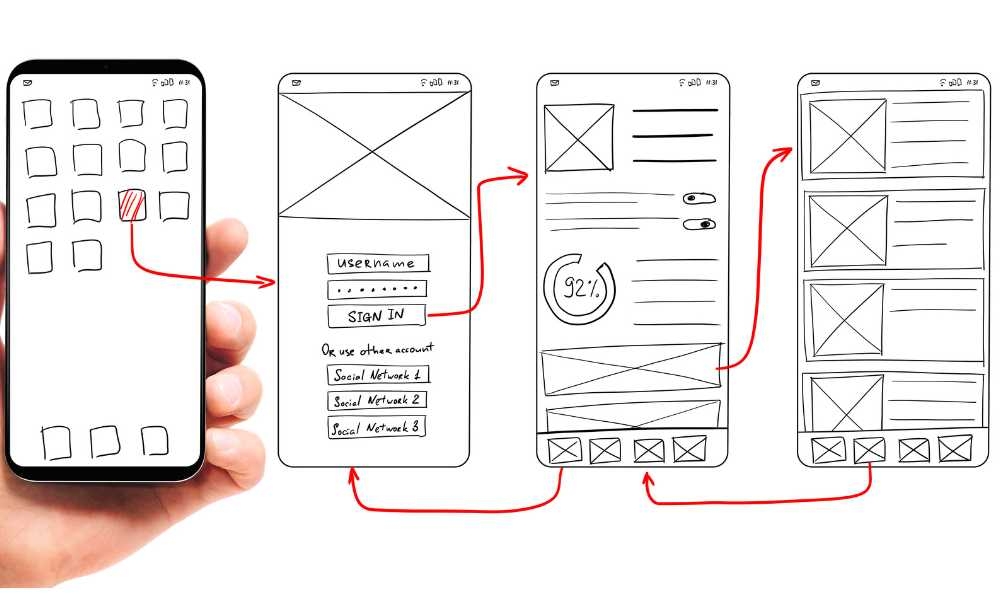
Therefore, in the testing phase, it is necessary to understand the need to identify flaws on real devices.
When testers and developers test their apps on real devices, it demonstrates how consumers interact with the mobile app and the issues they encounter under real-world conditions.
It facilitates more efficient bug detection and provides total visibility into application performance.
Emulators and simulators are unreliable for testers due to their limitations, such as their inability to simulate battery states or cellular interrupts.
Infrastructure is constantly available with the most recent Android and iOS smartphones and well-known legacy devices for full testing. It is simpler to transition between app options such as Device Passcode, Webview UI Inspect, and Biometric Authentication, among others.
Create a free account on BrowserStack, Sauce Labs, or LambdaTest; select a device-operating system combination for testing, and use advanced testing tools such as biometric authentication, geolocation testing, language switching, network simulation, push notifications, or image preloading to detect app bugs.
Common bugs in mobile applications
Before releasing a mobile application to the public on the Play Store or App Store, it is vital to examine how to detect app flaws. This way, you can identify and eliminate some of the most common flaws in your mobile application.
Here are some frequent mobile app bugs:
Crash After Tapping on the Button: The application breaks anytime a user taps on a particular button; this is the most typical fault in mobile applications. This hidden period bomb gets activated anytime the button is clicked. Therefore, it is vital to locate and fix this particular bug.
No Progress Indicator: The absence of a progress or process indicator when a user hits a button to download or upload a file is one of the most prevalent errors encountered in software applications.
Slower Response: Slow response times are the most prevalent bug for mobile applications. If the mobile application takes more than five to ten seconds to launch or process a request, it may include a significant bug that must be fixed.
Different Operating System Support: A mobile application should support both Android and iOS. Numerous mobile applications contain problems that do not support other OS platforms, resulting in decreased market penetration and profitability.
Portrait & Landscape Orientation: Mobile apps must be accessible from both portrait and landscape orientations. Another common error to note when enhancing readability.
Error Handling: When a user is browsing a mobile app, and the screen suddenly displays “error 404” or crashes, it demands improvement and improves the app’s performance.
Push Notification: Push notifications are the means to interact with mobile app users and are triggered by user input. Occasionally, however, the program does not submit the user’s request and does not function properly; this fault should be fixed. Learn how to test real-world push notifications.
Native App Permission: Certain permission flaws may prevent users from accessing the mobile application. Therefore, it is essential to comprehend the significance, handle the permission issue, and permit users to utilize the program with all rights, such as security, request, SMS, camera, video, and audio.
7 Tips for Locating Mobile App Bugs
How do you identify software bugs? This is the question that every tester and developer wants to know the most. Here are seven excellent strategies for locating various types of mobile app bugs:
1. Application Overview
Ensure you comprehensively understand the app’s flow before attempting to identify flaws in any mobile application. Once you understand the architecture and operating process, it is easier to identify bug-prone areas and plan accordingly.
Testers must verify that each function of the application performs as planned. Functional testing is a broad area that includes smoke testing, sanity testing, regression testing, and so on.
2. Develop Test Cases
Start generating and prioritizing test cases they’d like to delve deeply into once you’ve discovered all the faults in your mobile application and produced a comprehensive report.
3. Parallel Automated Testing
Automated testing solutions provide parallel mobile application testing without requiring manual chores to be performed. Parallel testing is a method for maximizing the benefits of automation testing by enabling the concurrent execution of identical tests in numerous settings, real device combinations, and browser configurations.
4. Obtain Customer Feedback
Collecting client feedback helps identify app issues neutrally and objectively. These users have past experience with the application and are aware of its weaknesses. Feedback might be the most effective technique to identify app flaws and improve them properly.
5. Testing User Interface (UI)
The purpose of UI testing is to evaluate the performance of a mobile application from beginning to end. With this app testing, you can learn how to identify app flaws, areas where the application is deficient, and difficult-to-reach features.
6. Examine Performance despite Limited Storage
Storage shortages in mobile phones can cause mobile applications to become unresponsive or sluggish. Therefore, verifying your mobile application’s performance and storage capacity is vital. If not, you must identify a problem that can be fixed by improving storage.
7. Perform Repeated Tests
After resolving all issues in the application, it is essential to save the modifications and recheck bugs in the updated application multiple times for optimal improvement. Permit the users to utilize the upgraded application and solicit their honest input to improve suitably.
Regression testing is a superior option and should be embraced by all product-based businesses seeking to scale more rapidly.
That’s all there is to it. These seven tips can help you improve testing productivity and locate app bugs more efficiently. After understanding the common flaws and seven tips, it is time to implement them and detect bugs in your mobile applications.
Closing Remarks
Before releasing a mobile application on the market, it is essential to identify and eliminate any issues that may hinder its performance. This article will help you learn how to discover flaws in mobile applications as well as some typical app issues.
Numerous live websites and applications provide solutions for cloud-based real-device testing with support for over 3000 genuine browsers and devices for manual and automated testing.