


As images support and explains your content and make your content engaging for your visitors. You should attach SEO-friendly images to every article you published to make them more attractive. Since image search is becoming more and more important, your website can get even more traffic through visual searches. Hence, it is essential to start image optimization for your website to get better search results.
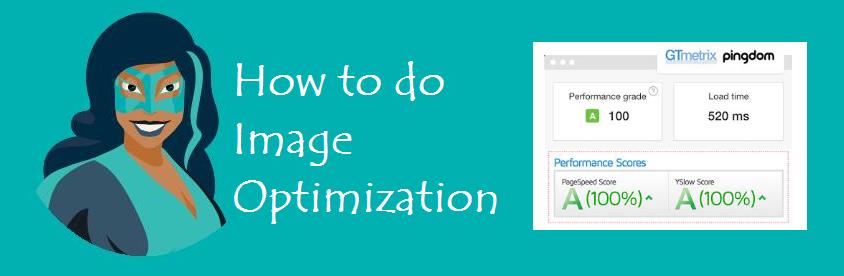
For Image Optimization, follow these steps.
1. Image optimization with an alt tag
- Alt tags tell Google what your images are about. When you add optimized alt tags, Google can understand and rank your images in search results.
- To provide more contexts to index your image in search engines and better user experience, use keywords in Alt tags for one time that users search. Make sure you have used the same keyword that is used in the full content.
- Describe your image to the alt text’s point, and the image description should be up to 125 characters. For example, if you have a technology website and have to Google smart speaker image, you will optimize this image with an image HTML alt tag by using the primary keyword that you have used in your content of the specific page in your website like
So the above alt tag has a keyword “Google smart speaker” that will tell Google this image is about the smart speaker, and without alt text, Google will not understand your image, and your user experience would be bad.
2. Image optimization with the title
Your image title should be to the point and have a structure and keywords to optimize it. For example, if you write the title of the smart speaker, then you will optimize your image HTML title tag in such a way like;
<image title= “on-page SEO”
So in this example, the title has a keyword, is to the point, and has a keyword and structure.
3. Optimize the image URL
As the browser needs the URL of any file to index it like this, images also have URLs, and they also need to be optimized with your keyword. Two things make these URLs.
- Filename
- Where it is directly uploaded
The file name is the keyword you assign to a specific image when you upload it on your desktop. For example, if your image file name is goggle smart speaker and it is uploaded on yoursite.com, then you can optimize the image HTML URL in such a way like;
<Image src=”https://yoursite.com/on-page.png/>”
In the above example, “yoursite.com” is an image location where it is directly uploaded, and Google-smart-speaker.png is the file name of the image, and these two things combine altogether and make your asset or image URL.
4. Image optimization with the caption
Like this, you can use caption and image optimization that tells a short story or description about your image that what is going on in your image.
5. Importance of quality and relevancy of image
- If your image matches your content and is high-quality, users will stay longer. This boosts retention and conversion rates.
- When images match product descriptions and look professional, users trust your site more. They’re more likely to become customers.
- Google notices this and may rank your site higher.
6. speed and responsiveness
- Google already factors in site speed in their search engine rankings. Google measures the speed of your website, that is, how much time it is loading. Images are one of the SEO factors that affect your website’s speed, so your images need to be loaded faster in search engines. If your website images are loading slowly, it will slow down your website speed, and Google will penalize your website. Penalize in the sense that it will not rank your website and your competitor’s website that loads faster.
- Page loading speed increase or decrease the bounce rate of your website. As images take more space, loading time and affect your website speed, if people come to your website and are loading slowly due to images, they will not stay more and exit your website. If people exit your website, it will increase your website bounce rate. To increase the retention rate, you need to increase the loading speed of images that will ultimately increase your website speed. For example, if your website takes 1s to 3s loading time, then the bounce rate of your website increase to 32%, such as
- 1s to 3s————bounce rate 32%
- 1s to 5s————bounce rate increase to 90%
- 1s to 6s————bounce rate increase to 106%
- 1s to 10s———–bounce rate increase to 125%
7. Image Size
- Images size needs to be optimized to decrease the bounce rate and increase website speed as images take more space on your page. If you don’t optimize image size, it will slow down your web page loading time and badly affect your SEO.
Resize and compress your images to match your website dimensions. Keep image size SEO-friendly—ideally under 100KB. Use a resolution of 1920 x 1080 pixels. Small, optimized images load faster and improve your site speed. Faster sites get better rankings. Google rewards well-optimized images in its search results.
- You can resize and optimize your image size by photoshop; Google frees online resize image tools and websites such as resize.net or WordPress Paid Plugins Like smush, etc.
Image responsiveness: Image responsiveness is essential, and you have to make your images responsive to desktop, mobile, LCD, Tablet
8. Formats and types of Seo Friendly images
If we talk about image formats, they are available in png, jpg gif, SVG. You need to use lightweight, high-quality image formats on your website. Choose standard web formats like PNG for faster loading speeds.
Many people now prefer SVG images. These don’t pixelate and stay sharp, even when resized. Follow these image optimization tips. They help your website rank better on Google. Image SEO is important, and Google gives it extra attention.