
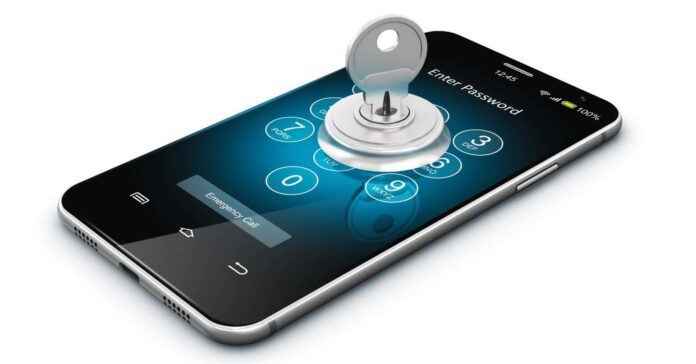

As Android phones become more integrated into our daily routines, they store an increasing amount of personal information, making privacy concerns a significant issue. From banking details to personal conversations, our phones hold valuable data that is susceptible to security breaches. In this article, we’ll discuss seven easy fixes that you can implement today to protect your Android phone privacy and safeguard your personal information from potential threats.
Understanding Protect Your Android phone Privacy
Android phones are powerful tools, but they can also expose you to significant risks if proper precautions aren’t taken. The information you store on your phone—such as messages, browsing history, and financial details—can be accessed or stolen if your device is compromised. Identifying these risks is the first step in minimizing threats to your privacy.
Common Privacy Risks on Android Devices
- App Permissions: Many apps request unnecessary permissions to access data that’s irrelevant to their function. For example, a simple flashlight app asking for access to your contacts or location data can jeopardize your privacy.
- Data Sharing: Apps often share your personal information with third parties without your knowledge or consent. This could include tracking your location, usage patterns, or browsing behavior to build a detailed user profile.
- Location Tracking: Even when location services aren’t explicitly enabled, many apps still collect your location data in the background. This poses a privacy risk, especially if apps like weather or fitness trackers access your real-time whereabouts.
- Malware: Malware is malicious software designed to gain unauthorized access to your phone’s data. Some malware can silently monitor your activities, steal passwords, or even make fraudulent transactions using your personal data.
Lock Your Android Phone With Strong Security
One of the first and easiest ways to secure your Android phone is by enabling a lock screen. Without this, anyone who gains access to your phone can see all of your data and potentially misuse it.
Use Biometric Authentication for Added Security
- Fingerprint Scanners: This feature offers quick and convenient security. With the rise of fingerprint sensors, they are now available in most modern Android devices. Fingerprint scanners are much more secure than traditional password methods because they require your unique fingerprint to unlock the phone.
- Face Recognition: Face recognition technology uses the unique features of your face to unlock your device. While it’s very convenient, ensure the lighting conditions are appropriate, as poor lighting may cause the system to fail.
- Pattern Locks: These are easy to set up and use. However, they tend to be less secure than biometric methods. If you opt for a pattern lock, choose a complex pattern, one that cannot be easily guessed or replicated by someone observing your device.
Implement a Strong Passcode
- Avoid Simple Combinations: Using “1234” or “0000” as a PIN is not secure at all. If your device is stolen, it can be easily accessed. Choose a PIN that is at least six digits long and, preferably, one that isn’t related to any easily accessible information, such as your birthday.
- Use Alphanumeric Passwords: For an even stronger passcode, consider using a mix of letters and numbers. Android allows you to set a complex alphanumeric password, which significantly enhances security compared to a simple PIN.
Control App Permissions
Apps often request permissions that go beyond their core functionality, which could endanger your privacy. Controlling what apps can access on your phone can limit potential vulnerabilities.
Review App Permissions Regularly
- Adjust Permissions: Once an app is installed, it will ask for various permissions like access to your camera, microphone, contacts, or location. Always review these permissions and revoke any that are unnecessary for the app to function. For example, a flashlight app doesn’t need access to your camera or contacts.
- Use Android’s Permission Manager: Android allows you to view and manage which apps have access to sensitive information like contacts, camera, and location. Regularly check the permissions granted to apps via your phone’s settings and disable any you feel uncomfortable with.
Disable Unnecessary App Features to Protect Your Android phone Privacy
- Turn Off Location Tracking: If an app doesn’t require your location to function, make sure location services are turned off for it. This reduces the chance of apps tracking your every move.
- Limit Camera and Microphone Access: Many apps ask for access to your camera and microphone, but unless the app requires it (e.g., for making calls or taking pictures), it’s a good idea to disable these permissions. You can do this by going into your settings and managing app permissions.
Enable Encryption for Enhanced Protection
Android phones offer encryption capabilities that secure your personal data by making it unreadable to unauthorized users. Encrypting your device is a smart move, especially in case your phone is lost or stolen.
Turn on Full-Disk Encryption
- Enable Through Settings: Android phones with newer operating systems have encryption features built-in. You can activate this encryption through your phone’s security settings. Full-disk encryption ensures that all the data stored on your phone is protected by a secure password or PIN.
- Automatic Encryption: On newer Android devices, full-disk encryption is typically enabled by default, making it a seamless addition to your phone’s privacy protections. Always double-check your device settings to confirm this feature is active.
Use Secure Folders
- Store Sensitive Data: Android devices allow you to create secure folders that encrypt data like passwords, financial information, or private photos. These folders are locked with a PIN or biometric authentication.
- Access Control: You can restrict access to specific apps and files, ensuring only authorized users can open and view them. This extra layer of security ensures your sensitive data is stored separately and safely.
Keep Your Android Software Up-to-Date
Cybersecurity threats evolve constantly, so it’s essential to keep your phone’s software updated. Android developers release regular updates to fix vulnerabilities and patch security flaws that could compromise your phone’s privacy.
Enable Auto-Updates for Apps and OS
- Automatic Updates: One of the easiest ways to ensure your phone stays secure is by enabling automatic updates for both apps and your operating system. By doing this, you’ll never miss an important security patch or bug fix.
- Security Patches: Regularly updated apps and software patches contain fixes for known vulnerabilities, helping protect your phone against threats and ensuring your privacy is maintained.
Regularly Check for Software Updates
- Manual Updates: Even though automatic updates are convenient, it’s a good habit to manually check for updates in your device settings. This ensures that your phone is always running the latest security patches.
- Don’t Delay Updates: If you’re notified about an update, install it promptly. Security vulnerabilities are often targeted by attackers, and keeping your device updated significantly reduces the chances of exploitation.
Use VPN for Secure Internet Browsing
A Virtual Private Network (VPN) helps protect your data while you browse the internet, ensuring your online activities remain private and your data encrypted.
Benefits of Using a VPN
- Anonymous Browsing: A VPN hides your IP address and encrypts your browsing traffic, making it harder for third parties to track your online activities.
- Secure Wi-Fi Connections: When using public Wi-Fi, a VPN protects your data from being intercepted by hackers. It creates a secure, private tunnel for all your internet traffic.
Choose a Trusted VPN Service
- Reputable VPN Providers: Always choose a VPN service from a trusted provider. Look for services with strong encryption protocols, no logging policies, and transparent privacy practices.
- Avoid Free VPNs: While free VPNs seem appealing, they often lack robust security features and may even compromise your privacy by tracking and selling your data. Invest in a paid VPN service for greater security.
Manage Your Google Account Privacy Settings
Google is deeply integrated into Android phones, which means managing your Google account settings is crucial for maintaining your privacy.
Review Google’s Privacy Dashboard
- Control What Google Knows: Google collects data on your activities across its services, including YouTube, Gmail, and Google Search. You can visit Google’s Privacy Dashboard to manage this data collection and delete any unnecessary activity.
- Delete Activity: If you feel that Google has too much information on you, you can delete your search history, location data, and browsing history directly from the privacy settings.
Adjust Ad Personalization Settings
- Opt-Out of Targeted Ads: You can disable Google’s personalized ad targeting by going into the Ad Settings menu. This will stop Google from using your data to show personalized ads based on your activity.
- Manage Ad Settings: You can also control how Google uses your data for ad purposes. By adjusting these settings, you can opt out of many forms of data collection for advertising.
Install Only Trusted Apps To Protect Your Android phone Privacy
Installing apps from reliable sources is one of the most effective ways to prevent malware and protect your privacy.
Use Google Play Store Exclusively
- Avoid Third-Party App Stores: Downloading apps from unofficial sources can expose your phone to malware, which can steal your personal information. Stick to the Google Play Store, which scans apps for potential threats.
- Check App Permissions: Always review the permissions requested by an app before installing it. Apps that request excessive permissions might be trying to collect more data than necessary.
Read App Reviews and Ratings
- Research Before Installing: User reviews and ratings provide insight into an app’s reliability and potential security issues. Read through them before installing any app, especially if it requests sensitive permissions.
- Avoid Unnecessary Apps: If you don’t need an app, don’t install it. Reducing the number of apps on your phone minimizes potential security vulnerabilities.
Conclusion: Protect Your Android phone Privacy
By implementing these seven easy fixes, you can significantly improve the privacy and security and Protect Your Android phone Privacy. From strong lock screens to regular software updates, each step you take adds a layer of defense against data breaches and privacy threats. With our phones storing so much personal information, it’s crucial to act now to protect what’s yours. Start taking control of your privacy today with these simple but effective steps.
Here are some frequently asked questions (FAQs) based on user experiences and discussions regarding protecting Android phone privacy
FAQs
Q1: How can I prevent apps from accessing my personal data without my consent?
User Insight: Many users are concerned about apps requesting unnecessary permissions, leading to potential privacy violations.
Recommended Actions:
-
Review App Permissions: Regularly check and manage app permissions to ensure apps only access necessary data.
-
Use Permission Manager: Utilize Android’s built-in permission manager to control app access to sensitive information.
Q2: Is it safe to use public Wi-Fi networks on my Android phone?
User Insight: Users often express concerns about the security of public Wi-Fi and its impact on privacy.
Recommendations:
-
Avoid Sensitive Transactions: Refrain from accessing sensitive information or conducting financial transactions over public Wi-Fi.
-
Use a VPN: Employ a reputable Virtual Private Network (VPN) to encrypt your connection and protect data from potential interception.
Q3: How can I secure my communications to prevent unauthorized access?
User Insight: With increasing concerns over surveillance, users seek ways to protect their communications.
Suggestions To Protect Your Android phone Privacy:
-
Use Encrypted Messaging Apps: Opt for applications like Signal or WhatsApp that offer end-to-end encryption for messages and calls.
-
Enable Two-Factor Authentication (2FA): Add an extra layer of security to your accounts to prevent unauthorized access.
Q4: Are there any Android settings that can enhance my privacy?
User Insight: Users are interested in built-in features that can bolster privacy without additional apps.
Privacy Enhancements:
-
Privacy Dashboard: Access the Privacy Dashboard to monitor which apps have accessed your camera, microphone, and location data.
-
Adjust Lock Screen Notifications: Modify settings to control the information displayed on your lock screen, protecting sensitive data from unauthorized viewers.
Q5: How can I ensure that my Android device is not being tracked without my knowledge?
User Insight: Concerns about covert tracking by apps or third parties are common among users.
Preventive Measures To Protect Your Android phone Privacy
-
Disable Unnecessary Location Services: Turn off location tracking for apps that do not require it for functionality.
-
Review App Permissions Regularly: Ensure apps do not have access to location data unless absolutely necessary.
Q6: What steps can I take if I suspect my Android phone has been compromised?
User Insight: Users fear that their devices might be compromised, leading to privacy breaches.
Recommended Actions To Protect Your Android phone Privacy
-
Perform a Security Scan: Use reputable security apps to scan for malware or suspicious activities.
-
Review Installed Apps: Uninstall any unfamiliar or suspicious applications that may have been installed without your knowledge.
-
Reset Device: If compromised, consider performing a factory reset to remove any malicious software.